4MCAD 2024

Latest update

December 27, 2025

License Price

Price on Request

OS

Windows

4MCAD 2024


4MCAD offers a very friendly environment for professionals knowing how to use AutoCAD.

With 4MCAD you get an advanced CAD Software with similar performance level.

4MCAD Software use DWG as their native file format. You can open and modify drawings created by AutoCAD and vice-versa without any import or export.
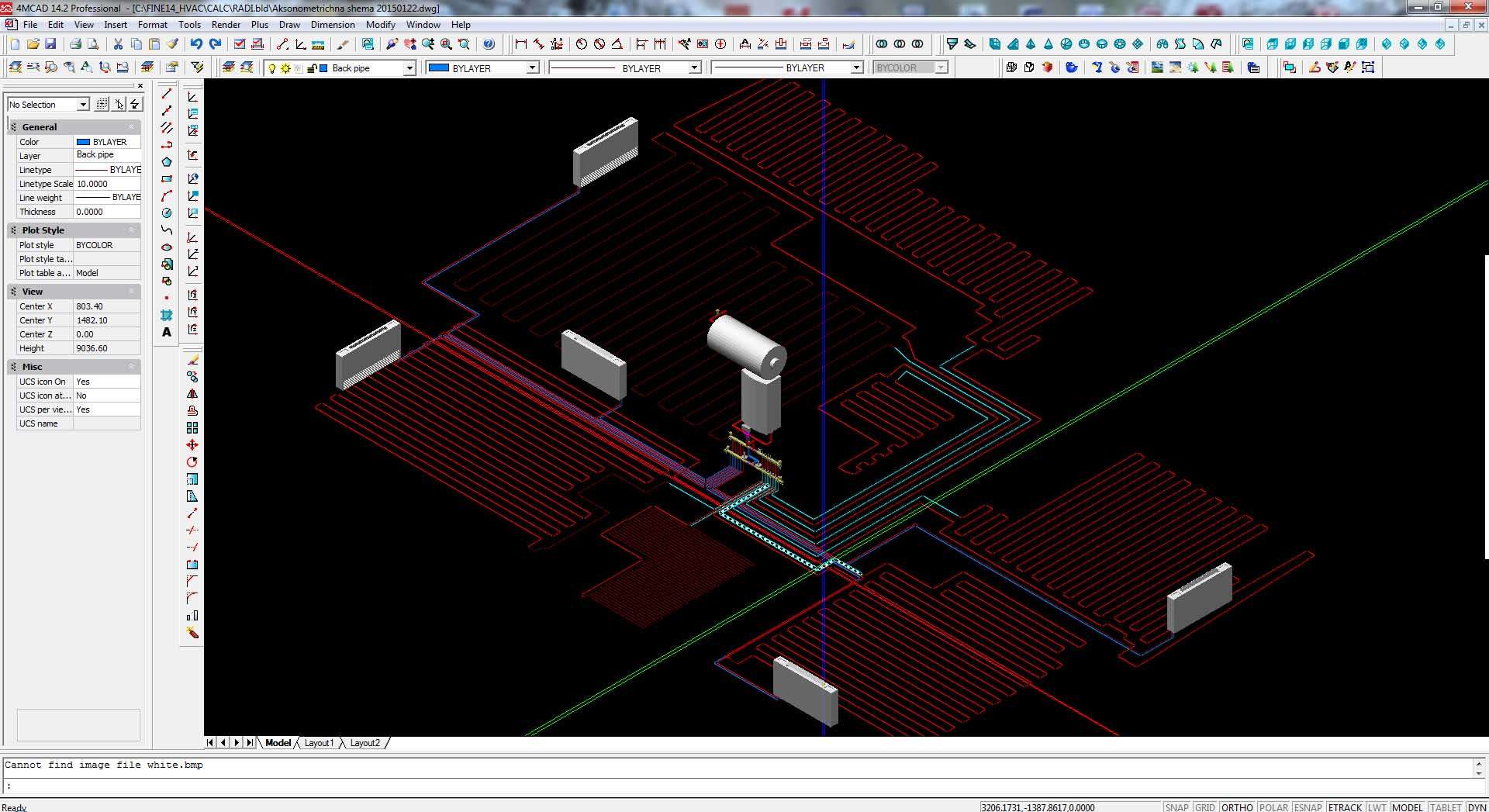
General 

  • Redesigned on the latest ICAD13 engine and the new ODA 2024.12 libraries.
  • Increased speed even when handling drawings with numerous blocks, external references, and 3D Solids
  • Enhanced performance of zoom and pan commands even in very large drawings with a high number of entities
  • Reduced memory usage when opening and closing drawings

Enhanced Performance 

  • Ability to create and edit advanced blocks using parameters, actions, and visibility states.
  • Assignment of layers to AEC entities and management of these layers.
  • Ability to create and customize AEC entity styles (e.g., walls, windows, doors, stairs).
  • Automatic creation and addition of blocks to the Tool Palette with a simple drag-and-drop from the Windows File Explorer.
  • New command for direct conversion of RVT files to IFC.
  • New command for automatic adjustment of the Z-coordinate of all entities in a drawing.
  • New “Super Hatch” command to fill an area using a selected image, texture, block, or external reference.


Data Import/Export

  • Ability to export data from .dgn/.ifc/.rvt/.rfa files, external references, advanced blocks, and AEC entities.
  • Creation of filters for exporting data that meets specific conditions.
  • Selection of entities for import from IFC files and setting import options.
  • Export of the active viewport to a BMP (.bmp) file.
  • Ability to load and save print stamp setting files (.pss).


4MCAD: Summary of Features

DWG format full compatibility

  • Native .dwg file support
  • Read/Write to Autocad format

Interoperability – working with files

  • Full support of Autodesk® Revit® files
  • Import IFC files (4MCAD PRO)
  • PDF to CAD conversion –DWG file (4MCAD PRO)
  • Import Revit files (RFA and RVT format files) (4MCAD PRO)
  • Import/Export IGES format files (4MCAD PRO)
  • Import/Export STEP format files (4MCAD PRO)
  • Import/Export ACIS 3D Solids *.sat
  • Working with point clouds – attaching point cloud .rcp/.rcs files
  • Import 3D Collada *.dae
  • 3D PDF  Export
  • Export – 2D/3D *.pdf, *.svg, *,dwf, *.bmp, *.emf, *.wmf, *.dwf & *.stl file extensions
  • Open/Save – *.dwg, *.dxf, *,dwf, *.dxb & *.dwt file extensions
  • Export three-dimensional models to an .obj (Wavefront Technologies) file
  • Import map files by connecting to PostgreSQL, MySQL, and WFS servers
  • Use the Audit command to check for errors in .ifc files that are attached as underlays
  • Export to .pdf files using an improved interface.

BIM entities/objects (4MCAD PRO)

  • ADT Objects (architectural desktop objects): Creates ADT walls, openings (windows, doors), curtain walls, stairs, ramps, roofs, rails, studs, joists etc
  • Conversion of entities to walls and slabs.
  • Steel Elements: creates steelwork elements: profiles, plates, bolts, studs, joists etc.
  • Wood Elements: creates woodwork elements.
  • Creation of elevation lines and section lines.

3D Solid Modelling (4MCAD PRO)

  • Conversion of entities to three-dimensional meshes or surfaces using the Convert to Mesh and Convert to Surface commands.
  • Facet Modeler to draw these 3D entity types: box (FMBOX), cone (FMCONE), cylinder (FMCYLINDER), pyramid (FMPYRAMID), sphere (FMSPHERE), and torus (FMTORUS).
  • Draw construction lines using the new Construction Line command.
  • FM3DCONVERT and FMEXTRUDE commands to convert more types of three-dimensional entities to other types of three-dimensional entities.
  • Editing of the 3D entities of the new Facet Modeler: 3D convert (FM3DCONVERT), extrude (FMEXTRUDE), intersect (FMINTERSECT), revolve (FMREVOLVE), subtract (FMSUBTRACT), and union (FMUNION)

Interface

  • Tool Palette (acad-like Tool Palette)
  • Ribbon menus & menu bar interface, both together at the same time.
  • Α number of facilities and auxiliary tools such as Quick CUI command, Right-click a drawing tab to see options for the tab, Cursor Types (regular, gunsightand XOR when overlapping a same color area), “Save Workspace” command for saving a workspace and its settings, “Close All Others” command to close all drawing windows except the current one and many others.
  • Home view or use of the rotate arrows using the view cube.
  • New Visualized ribbon tab

Blocks and External references

  • Insertion of Dynamic blocks
  • Convert Block to XRef to convert each occurrence of a selected block to an external reference.
  • Find and replace blocks (4MCAD Standard & 4MCAD PRO)
  • Block Library with up to 1000 blocks (4MCAD PRO)
  • Block Library Manager (4MCAD PRO)
  • Insertion of blocks in table cells

Selecting and modifying entities

  • Selection Filter command to display the Selection Filter pane (allowing to filter and select entities by layer, color, entity type, and linetype).
  • Selection Cycling tab to specify how to select when selecting entities that overlap.
  • Overkill command to delete or combine duplicate or overlapping entities.
  • View and select a range of actions on the Undo/Redo toolbar
  • Thicken command to convert surfaces and meshes into three-dimensional solids with a specified thickness (4MCAD PRO).
  • Additional grips and properties to polygons, rectangles and break lines, for smart editing.
  • Break at Point command to break an entity into two without removing a portion of the entity.
  • 3D Positioner command to move and rotate entities interactively in three-dimensional space.
  • Capability to explode remote text (rtext) entities in drawings created in another CAD program.

Viewing

  • Advanced Photo-realistic 3D Rendering (4MCAD Standard & 4MCAD PRO)
  • Raster Image Support (4MCAD Standard & 4MCAD PRO)
  • Graphical Block Preview
  • CAMERA command to create and modify view settings for a drawing

Text

  • Work with multiline text using right-to-left fonts.
  • Create additional types of lists for multiline text.
  • Resize text using the Scale Text command.
  • Draw a circle, rectangle, or dashed line around text using the Enclose Text with Shape command.
  • Position text within a defined space using the Text Fit command.

Print

  • Export Layout to Model (.dwg)
  • Publish drawings to DWF and DWFx.
  • 3D Printing files
  • Auto Publish command to automatically create electronic files (.dwf/.pdf) from the current drawing.

APIs

  • Microsoft .NET 4.5 API – .NET wrappers for architectural objects.
  • Load IRX applications automatically in IntelliCAD via the registry.
  • Autodesk® Development System (ADS) support
  • Microsoft Visual Basic for Applications – VBA 7.1 (4MCAD PRO)
  • LISP support (including DCL)

Enhanced Performance

  • High performance when snapping to .pdf files, blocks with many nested entities and point clouds.
  • Zoom and Pan, extremely fast for clipped external references.
  • Opening external reference files much faster.
  • Enhanced performance when selecting by window.
  • Incremental saving of .dwg files is supported, providing much faster saving of large .dwg files that contain only a few changes.
  • Faster polyline vectorization.
  • Quick Select command is faster by 2x in large drawings.
  • Faster display of large geographic images.
  • Faster cursor response in large drawings with no selection preview.
Software

Price: 0 $

Price Currency: $

Operating System: Windows

Application Category: Mechanical Engineering

Editor's Rating:
5

Latest update

December 27, 2025

License Price

Price on Request

OS

Windows

Reviews

There are no reviews yet.

Be the first to review “4MCAD 2024”

Your email address will not be published. Required fields are marked *

Recommended for You