
ConceptDraw MINDMAP is a professional-grade mind mapping and visual thinking software that is part of the larger ConceptDraw OFFICE productivity suite. It provides a powerful environment for brainstorming ideas, structuring complex information, planning projects with integrated Gantt charts, and transforming maps into compelling presentations or structured documents. It is designed to enhance creativity, improve clarity, and boost productivity for individuals and teams by visually organizing thoughts and data in a non-linear, intuitive format.
It stands out for its deep integration with other ConceptDraw tools (like PROJECT and DIAGRAM) and its strong focus on turning visual maps into actionable plans and professional outputs.
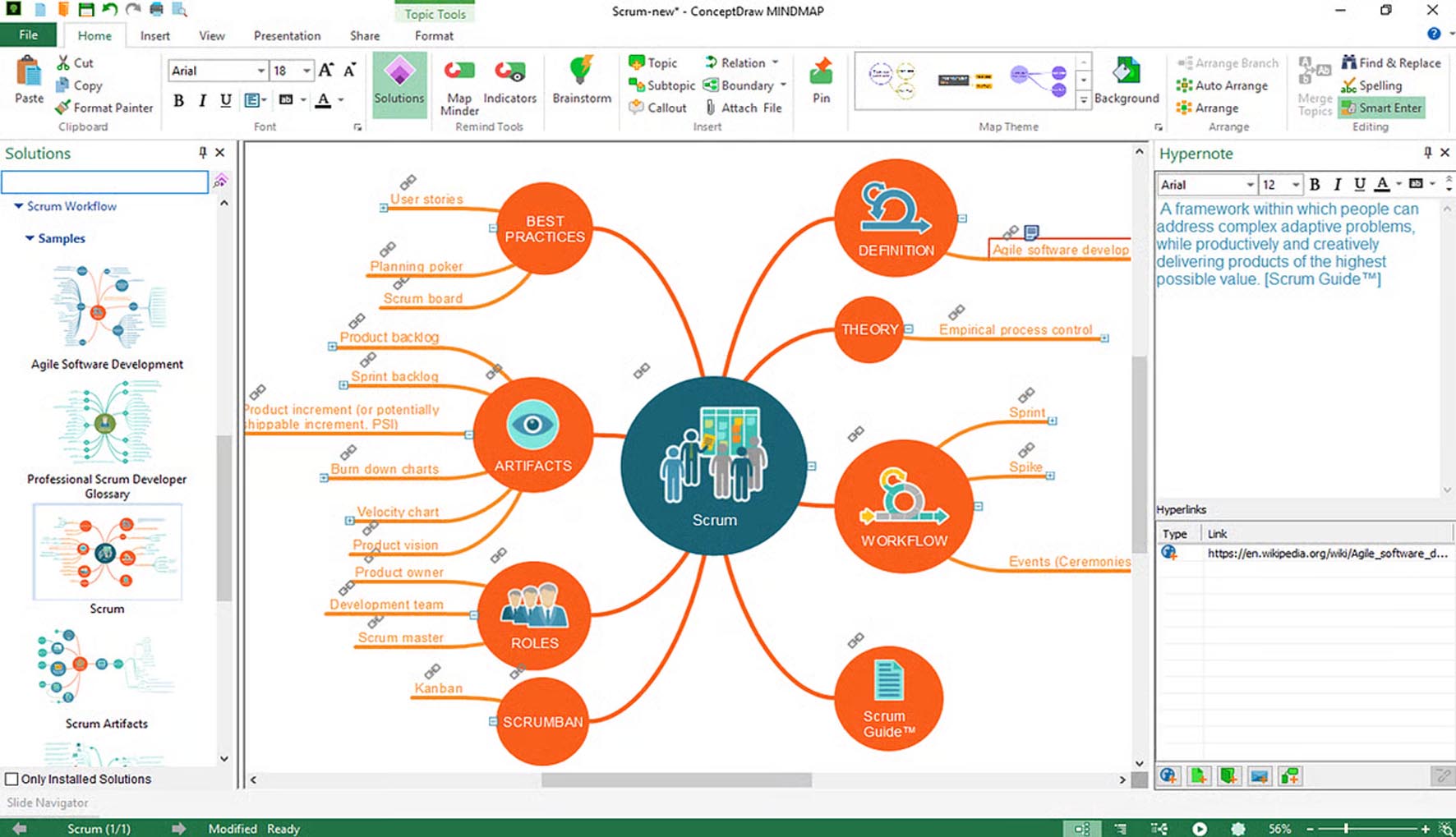
ConceptDraw MINDMAP goes beyond basic mind mapping with tools for planning and communication.
Flexible Diagramming:
Multiple Map Layouts: Supports classic radial mind maps, org charts, tree diagrams, and fishbone (cause-and-effect) diagrams.
Rich Object Formatting: Extensive styling options for branches, text, images, icons, and notes. Attach files, hyperlinks, and callouts.
Multiple Central Topics: Create maps with several main ideas interconnected, ideal for complex topic exploration.
Project Planning & Management Integration:
Integrated Gantt Chart View: Seamlessly transform any branch structure into a interactive Gantt chart to assign tasks, durations, dependencies, and resources. This is a key differentiator.
Task Management: Assign priorities, deadlines, progress status, and responsible persons directly on map topics.
Export to ConceptDraw PROJECT: For advanced project management with full MS Project compatibility.
Presentation & Output Tools:
Presentation Mode: Turn your mind map into a dynamic, guided presentation. You can navigate topics non-sequentially based on audience interaction.
Document Export: Convert maps into structured Microsoft Word documents, PowerPoint presentations, PDF files, or web pages with a single click.
Image & Graphic Export: Export to a wide range of formats for use in reports or online.
Collaboration & Data Integration:
Team Collaboration: Share maps via ConceptDraw Cloud for real-time or asynchronous collaboration with team members.
Data Import: Import outlines from Word or text files to quickly create a map structure.
Integration with ConceptDraw DIAGRAM: Directly use mind maps as a starting point for creating detailed business diagrams, flowcharts, and floor plans.
Modernized User Interface: A cleaner, more intuitive interface with improved iconography and layout.
Enhanced Cloud Collaboration: Better real-time co-editing features and sharing capabilities.
Improved Performance: Faster loading and manipulation of large, complex maps.
Expanded Template Library: New professionally designed templates for various business and educational scenarios.
Advanced Export Filters: More control over the formatting and structure of exported documents and presentations.
ConceptDraw MINDMAP is compatible with standard modern systems. The minimum system requirements are Windows 10/11 or macOS 10.13+, a 1 GHz processor, 2 GB of RAM, 500 MB of free disk space, and a display with 1024×768 resolution.
For recommended professional use, especially when working with large maps or integrated Gantt charts, a system with Windows 10/11 or macOS 11+, a multi-core processor, 4-8 GB of RAM, and a high-resolution display (1920×1080 or higher) is advised for the best experience.
Price: 125 $
Price Currency: $
Operating System: Windows
Application Category: Productivity










Reviews
There are no reviews yet.