

Latest update
License Price
OS
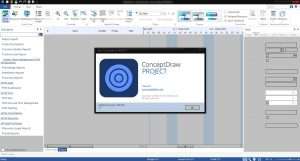
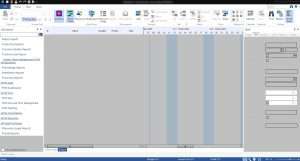
ConceptDraw OFFICE is a powerful, integrated suite of three professional applications—ConceptDraw DIAGRAM, ConceptDraw MINDMAP, and ConceptDraw PROJECT—that together provide a complete environment for business visualization, project management, and strategic planning. Developed by CS Odessa, this unified platform enables users to seamlessly move from brainstorming and idea organization to detailed diagramming and finally to project execution, all within a consistent, intuitive interface. Version 10.2 continues the suite’s mission of helping individuals, teams, and organizations visualize complex information, plan effectively, and communicate clearly. From engineering schematics to project Gantt charts, from mind maps to network diagrams, ConceptDraw OFFICE delivers the professional-grade tools needed to transform abstract ideas into concrete, actionable plans.
This comprehensive business visualization suite is designed for:
Business Managers & Executives planning projects, visualizing strategies, and communicating complex information.
Project Managers & Team Leaders planning, scheduling, and tracking projects with integrated visual tools.
Engineers & Technical Professionals creating technical diagrams, schematics, and engineering documentation.
IT Professionals & Network Architects designing network infrastructures and system architectures.
Educators & Trainers developing visual learning materials and organizing curriculum planning.
Marketing & Strategy Professionals brainstorming ideas, mapping strategies, and creating compelling presentations.
Comprehensive Diagram Types:
Flowcharts: Process flows, algorithms, decision trees
Organizational Charts: Company structures, reporting lines, team hierarchies
Business Process Diagrams: BPMN, workflow modeling, process optimization
Network Diagrams: IT infrastructure, topology maps, server layouts
Engineering Schematics: Electrical, mechanical, civil engineering drawings
Floor Plans: Architectural layouts, space planning, facility management
UML Diagrams: Software design, system architecture, class diagrams
Infographics: Data visualization, presentations, marketing materials
Professional Design Tools:
Vector-based drawing with precise control
Drag-and-drop interface for rapid diagram creation
Extensive library of templates and symbols
Custom stencil creation for reusable components
Automatic alignment, spacing, and layout tools
Smart connectors that maintain connections during editing
Industry-Specific Solutions:
Pre-built templates for various industries
Specialized symbol libraries for engineering, IT, business
Compliance with industry standards (BPMN, UML, etc.)
Export to multiple formats for documentation
Visual Thinking Tools:
Structured mind map creation for idea organization
Hierarchical visualization of thoughts and concepts
Topic linking and relationship mapping
Support for notes, comments, and attachments
Brainstorming Features:
Dedicated brainstorming mode for rapid idea generation
Visual organization of brainstorming sessions
Idea prioritization and categorization
Export brainstorming results to project plans
Project Integration:
Task assignment directly within mind maps
Progress tracking and prioritization
Convert mind maps to project plans automatically
Link mind maps to diagrams and project schedules
Presentation Mode:
Present mind maps dynamically
Reveal ideas step by step
Share visual thinking with stakeholders
Export to presentation formats
Comprehensive Planning:
Gantt chart creation and management
Task scheduling and dependency definition
Work Breakdown Structure (WBS) support
Milestone tracking and visualization
Resource Management:
Resource allocation and leveling
Team member assignment
Resource utilization tracking
Cost and budget management
Progress Tracking:
Real-time project monitoring
Progress against baseline comparison
Critical path analysis
Performance reporting
Multi-Project Management:
Handle multiple projects simultaneously
Cross-project resource sharing
Consolidated reporting
Portfolio-level insights
Unified Workflow:
Automatic conversion of mind maps to project plans
Transform diagrams into presentations instantly
Link diagrams, mind maps, and projects
Maintain consistency across all project phases
Idea to Execution:
Start with brainstorming in MINDMAP
Develop concepts in DIAGRAM
Plan and track in PROJECT
All within the same environment
Data Consistency:
Shared data across applications
Automatic updates when source changes
Single source of truth for project information
Reduced duplication and errors
Extensive Built-in Content:
Thousands of pre-designed templates
Industry-specific solutions
Ready-to-use diagram examples
Professional visual themes
Symbol Libraries:
Comprehensive icon and symbol collections
Technical symbols for engineering
Business graphics and icons
IT and network symbols
Customizable and extensible libraries
Sharing Options:
Export to multiple formats for team collaboration
Presentation mode for meetings
PDF, image, and document export
Integration with Microsoft Office
Visual Communication:
Clear, professional diagrams for stakeholders
Interactive presentations
Visual project reports
Infographics for marketing and communication
Native applications for Windows and macOS
Consistent user experience across platforms
File compatibility between operating systems
Seamless team collaboration regardless of platform
Export Formats:
PDF for documentation and sharing
PNG, JPG, SVG for images and web
PowerPoint for presentations
Word and Excel for reports
Project files for other tools
Presentation Features:
Built-in presentation mode
Slide-based presentations from diagrams
Interactive element highlighting
Professional visual quality
Enhanced Diagramming Tools – Improved vector rendering with faster performance
Expanded Symbol Libraries – New industry-specific symbols and templates
Mind Mapping Enhancements – Better organization tools with automatic layout
Project Integration Updates – Smoother conversion between mind maps and projects
UI/UX Refinements – Modernized interface with customizable workspaces
Export Format Expansion – Additional file format support
Performance Optimizations – Faster loading and rendering for large documents
Stability Improvements – Bug fixes and reliability enhancements
Cross-Platform Sync – Better file compatibility between Windows and macOS
Template Library Updates – New professionally designed templates
OS: Windows 8.1, 10, or 11 (64-bit certified) | macOS 12 (Monterey), 13 (Ventura), or 14 (Sonoma)
CPU: Intel or AMD processor, 1.8 GHz or higher
RAM: 2 GB minimum (4 GB recommended)
Storage: 540 MB disk space (1.5 GB during installation)
Display: 1024 × 768 pixels or higher resolution
OS: Windows 11 (64-bit) or macOS 14 (Sonoma)
CPU: Intel Core i5/i7/i9 or Apple Silicon
RAM: 8 GB or more
Storage: 5 GB SSD
Display: 1920 × 1080 resolution or higher
Graphics: GPU with OpenGL support for enhanced rendering
Price: 125 $
Price Currency: $
Operating System: Windows
Application Category: HVAC
Latest update
License Price
OS


Reviews
There are no reviews yet.