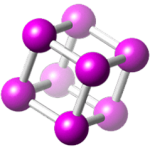











CrystalMaker is advanced molecular visualization software developed by CrystalMaker Software Ltd. It is designed for the analysis and interactive visualization of molecular and crystal structures, primarily serving chemistry and materials science educators and researchers. The software’s interactive 3D displays and animation creation tools aid in comprehending material properties and complex datasets.
CrystalMaker provides chemistry educators with a robust tool for visualizing and analyzing molecular and crystal structures. Its primary role is to enhance understanding of chemical concepts through interactive 3D graphics and animations, making it an invaluable asset in academic settings. The software supports the creation of 3D chemical models, enabling detailed examination of molecular arrangements and properties.
CrystalMaker facilitates a deep understanding of molecular and crystal structures through its interactive 3D graphics. Users can manipulate models in real-time, rotate them, zoom in on specific atoms or bonds, and create dynamic animations that illustrate molecular motion, bonding, and structural changes. This dynamic approach to visualization significantly aids in grasping complex material properties.
To ensure broad applicability, CrystalMaker supports a variety of common data formats for importing crystallographic and molecular information. Key formats include CIF (Crystallographic Information Framework), which is a standard for exchanging structure data, as well as GSAS and SHELX files. This compatibility allows educators and researchers to utilize data from diverse sources, including experimental results and computational outputs, for analysis and presentation.
In academic environments, CrystalMaker is frequently employed by chemistry teachers for classroom demonstrations and interactive laboratory exercises. It allows for the visual representation of molecules and crystal lattices that are difficult to describe purely through diagrams or textbooks. Specific applications include illustrating bonding theories, demonstrating unit cells in crystallography, and explaining the structures of organic compounds and minerals.
Beyond teaching, CrystalMaker serves as a vital tool for researchers across chemistry and materials science. It assists in analyzing experimental data, preparing figures for scientific publications, and creating visualizations for conference presentations. The software’s capabilities enable researchers to explore complex solid-state structures, identify different types of defects, and visualize intricate molecular arrangements crucial for their work.
While various molecular visualization software applications exist, CrystalMaker distinguishes itself through its user-friendly interface and its specific emphasis on educational applications and interactive 3D graphics. Tools like VASP or GaussView are often geared more towards complex computational analysis and simulation. CrystalMaker, however, prioritizes intuitive manipulation and clear visualization, making it particularly accessible for students and educators needing to quickly generate diagrams and animations.
CrystalMaker is designed with a focus on ease of use, making it accessible to users with varying levels of technical expertise. The interface is organized logically, allowing students and educators to quickly learn how to import data, manipulate structures, and generate animations without extensive training. This accessibility is a key factor in its adoption within academic departments.
CrystalMaker offers a powerful yet accessible platform for 3D molecular and crystal structure visualization, making it an exceptional resource for chemistry educators and researchers. Its interactive features, broad file format support, and intuitive design facilitate a deeper understanding of chemical concepts and material properties. For those looking to enhance their teaching or research with clear, dynamic visualizations, CrystalMaker provides a strong solution.
CrystalMaker supports various file formats, including CIF (Crystallographic Information Framework), GSAS, and SHELX, allowing users to import data from multiple sources for visualization and analysis. This versatility enhances its integration into different research and educational environments.
Educators can utilize CrystalMaker to visually present molecular structures in three dimensions, making complex chemical concepts more accessible and engaging for students. The interactive animations help facilitate a deeper understanding of molecular behaviors and properties.
Compared to other molecular visualization tools, CrystalMaker stands out for its intuitive user interface and advanced 3D animation capabilities. While options like VASP or GaussView focus more on computational analyses, CrystalMaker emphasizes interactive visualization, making it particularly effective for educational purposes.