

Latest update
License Price
OS
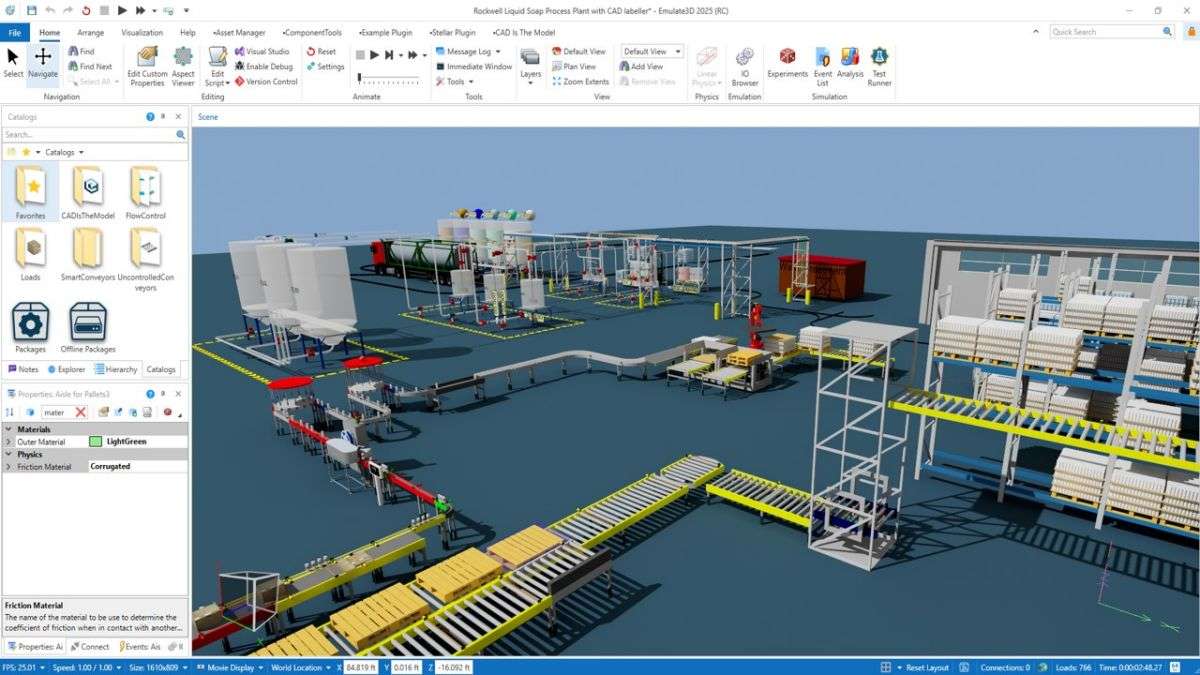
Emulate3D is designed to add value throughout the automation project design cycle, from concept to commissioning, and even further into operator training. With this single software platform, build and use concept models to effectively communicate design, layout, and theory of operation, building trust and alignment with stakeholders. With the same tool, incrementally sharpen your models with accurate performance characteristics and measure the proposed system capabilities with our experimentation and data reporting tools. As designs harden and engineers begin to develop control code and machine interfaces, continue evolving your Emulate3D models into digital twins for virtual commissioning and operator training.
Emulate3D is primarily used by industrial automation OEMs, system integrators, and end users for the purposes of conceptualizing the operational dynamics of automation systems, simulating automation systems to find and provide evidence of sufficient system design, and virtually commission automation systems without needing to access to the physical machinery.
The Rockwell Automation Catalog includes a plugin that can connect to a single MATLAB® instance with the Automation Server running. This allows users to prototype and test PLC programs using MATLAB scripts. The MATLAB plugin generates tags in the Emulate3D IO Browser for each supported base workspace variable. The MATLAB variables are then bound to properties of objects inside the Emulate3D environment through these tags. You can move values from the Emulate3D model to the MATLAB model and vice-versa. The plugin integrates with MATLAB as a COM application via the MATLAB API for COM Automation Server. In addition, Simulink® and Simscape® models for components and assemblies can co-simulate with Emulate3D via FMU integration.
Price: 0 $
Price Currency: $
Operating System: Windows
Application Category: Automation
Latest update
License Price
OS








Reviews
There are no reviews yet.