
FINCAD Analytics Suite for Excel is a comprehensive Excel add-in that brings institutional-grade financial analytics directly into the familiar spreadsheet environment. It transforms Excel into a powerful financial modeling platform with 500+ specialized functions for pricing derivatives, analyzing fixed income securities, calculating risk metrics, and performing regulatory compliance calculations. Unlike the developer version, this is an end-user tool designed for financial professionals who prefer working in Excel but need advanced analytics capabilities.
FINCAD Excel Suite serves finance professionals who work primarily in Excel:
Financial Analysts performing derivatives valuation and portfolio analysis
Risk Managers calculating VaR, stress testing, and regulatory metrics
Treasury Professionals managing cash flow forecasting and hedge accounting
Portfolio Managers analyzing fixed income and structured products
Corporate Finance Teams evaluating financing alternatives and M&A scenarios
Consultants & Advisors providing client-ready financial analysis
Excel Power Users needing advanced financial functions beyond native Excel
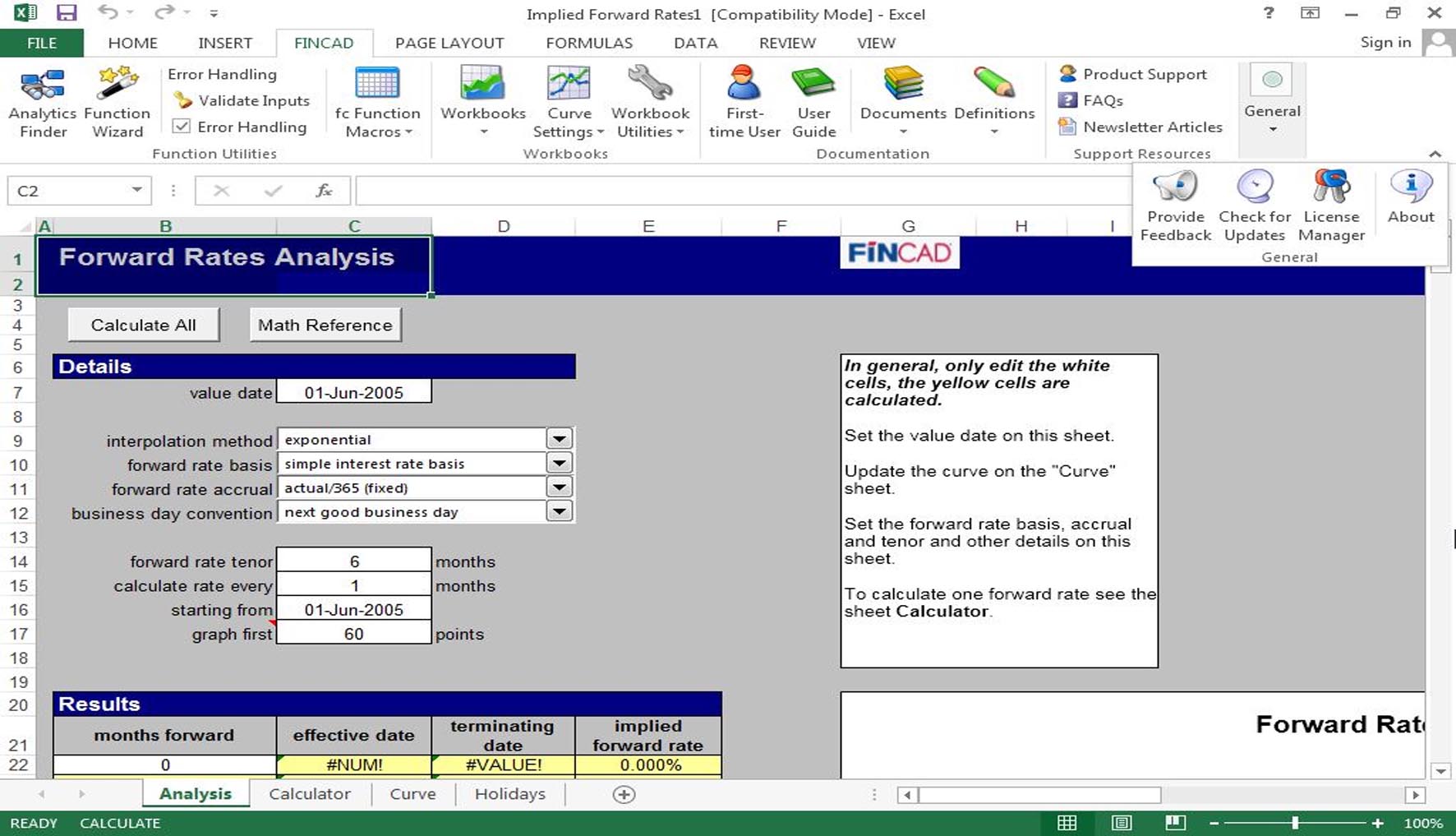
500+ Financial Functions: Specialized formulas for all asset classes accessible via Excel’s formula bar
Dynamic Arrays: Native Excel dynamic array support for multi-value returns
User-Defined Functions (UDFs): Custom functions that behave like native Excel functions
Real-Time Updates: Live market data integration with automatic recalculation
Fixed Income: Government/corporate bonds, money markets, inflation-linked securities
Derivatives: Swaps, options, futures, swaptions across all underlyings
Structured Products: ABS, MBS, CMOs, CDOs, and complex hybrids
Credit Derivatives: CDS, CDO, credit-linked notes
FX & Commodities: Forex options, commodity derivatives, energy contracts
Scenario Analysis: Built-in stress testing and what-if analysis tools
Sensitivity Tables: Automatic generation of Greeks and risk metrics
Portfolio Analytics: Aggregation and risk attribution across positions
Regulatory Calculators: FRTB, CECL, IFRS 9, and margin requirements
Excel Modern Functions: Full compatibility with LET, LAMBDA, XLOOKUP, and other modern Excel functions
Dynamic Array Revolution: All FINCAD functions now support Excel’s dynamic arrays natively
Power Query Integration: Direct connection to FINCAD functions within Power Query transformations
Excel JavaScript API: Support for Office.js for custom task panes and ribbon controls
AI-Assisted Modeling: Smart function suggestions and parameter recommendations based on context
Climate Risk Analytics: TCFD-aligned climate stress testing and carbon pricing scenarios
Digital Assets Pricing: Crypto derivatives and tokenized securities pricing models
LIBOR Transition Tools: Complete SOFR, SONIA, €STR, and other RFR transition calculators
FINCAD Copilot for Excel: AI-powered assistant within Excel that suggests analyses and catches errors
One-Click Reporting: Automated report generation with charts, tables, and regulatory disclosures
Collaboration Tools: Real-time co-authoring with FINCAD function support
Excel Online Support: Limited functionality in Excel for the Web
Minimum Requirements:
OS: Windows 10/11 64-bit (21H2 or later)
Excel: Microsoft Excel 2016/2019/2021/365 64-bit (Office 365 subscription recommended)
CPU: Intel Core i5-10400 or AMD Ryzen 5 3600 (6 cores)
RAM: 16 GB (32 GB recommended for large portfolios)
Storage: 10 GB free SSD space
.NET: .NET Framework 4.8 or .NET 6.0 Runtime
Recommended Configuration:
OS: Windows 11 Pro/Enterprise
Excel: Microsoft 365 Apps for Enterprise (64-bit)
CPU: Intel Core i7-13700K or AMD Ryzen 7 7700X (16 threads)
RAM: 32-64 GB DDR5
Storage: 50 GB free NVMe SSD space
Display: Dual monitors (1920×1080 minimum each)
Price: 325 $
Price Currency: $
Operating System: Windows
Application Category: Risk Management













Reviews
There are no reviews yet.