

Latest update
License Price
OS
Slyce Software FormulaDesk Suite is a powerful collection of three integrated Excel add-ins that transform how professionals work with spreadsheets—combining formula auditing, advanced mathematics, and workbook navigation into a seamless productivity toolkit. The suite comprises FormulaDesk Spy for comprehensive formula analysis and dependency tracing, FormulaDesk Math for advanced mathematical and statistical functions, and FormulaDesk Navigator for rapid workbook exploration and management. Version 2026 continues Slyce Software’s mission of making complex spreadsheet work more efficient, accurate, and transparent, with enhanced features, improved performance, and full compatibility with the latest Excel versions. For anyone who depends on Excel for critical analysis, FormulaDesk Suite delivers the tools needed to work faster, reduce errors, and gain deeper insights.
This comprehensive Excel productivity suite is designed for:
Financial Analysts & Accountants auditing complex spreadsheets and tracing formula dependencies.
Data Analysts & Business Intelligence Professionals performing advanced mathematical analysis within Excel.
Excel Power Users & Modelers navigating large, complex workbooks efficiently.
Auditors & Compliance Officers verifying spreadsheet accuracy and identifying errors.
Educators & Students learning advanced Excel techniques and mathematical concepts.
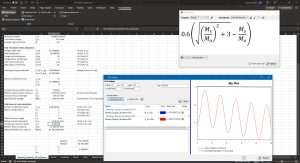
Comprehensive Formula Analysis:
Real-time formula auditing and debugging
Detailed breakdown of complex nested formulas
Step-by-step formula evaluation
Error detection and correction suggestions
Dependency Tracing:
Visual precedent and dependent tracing
Identify all cells affecting a formula
Trace formulas across multiple worksheets
Detect circular references and broken links
Formula Comparison:
Compare formulas across cells and worksheets
Identify inconsistencies and variations
Batch formula analysis for large workbooks
Highlight formula patterns and anomalies
Performance Optimization:
Identify calculation bottlenecks
Detect inefficient formula structures
Optimize workbook calculation speed
Reduce file size through formula efficiency
Audit Reporting:
Generate comprehensive formula audit reports
Document spreadsheet logic and dependencies
Export findings for compliance documentation
Create formula maps and dependency diagrams
Mathematical Analysis:
Advanced statistical functions
Matrix operations and linear algebra
Calculus and differential equation solving
Optimization and curve fitting
Engineering Calculations:
Unit conversion and dimensional analysis
Engineering formula library
Technical function support
Scientific computation tools
Data Analysis:
Regression analysis and forecasting
Statistical distribution functions
Hypothesis testing tools
Data smoothing and interpolation
Custom Function Creation:
Build reusable mathematical functions
Create custom formulas without VBA
Share function libraries across workbooks
Integrate with existing Excel functions
Visualization Tools:
Generate mathematical plots and graphs
Visualize functions and data relationships
Create dynamic charts from calculations
Export graphics for reports and presentations
Rapid Navigation:
Instant access to any worksheet or range
Search and jump to named ranges
Navigate by formula type or content
Quick access to recently used cells
Workbook Organization:
Visual workbook map and structure view
Manage multiple worksheets efficiently
Organize named ranges and defined names
Consolidate scattered data
Cell Exploration:
Browse all formulas in workbook
Filter cells by content or formatting
Identify constants and inputs
Locate specific data types
Bookmarking:
Save and restore navigation positions
Create named views for quick access
Share navigation paths with team members
Return to frequently used locations instantly
Multi-Workbook Support:
Navigate across multiple open workbooks
Cross-workbook formula tracing
Consolidated view of all open files
Seamless switching between workbooks
Seamless Integration:
All three tools accessible from single ribbon
Consistent interface and workflow
Shared settings and preferences
Unified licensing and updates
Excel Compatibility:
Full support for Excel 2016, 2019, 2021, 365
32-bit and 64-bit versions supported
Compatible with all Excel features
Regular updates for new Excel releases
Enterprise Features:
Deployment tools for IT administrators
License management for organizations
Multi-user configuration support
Compliance with corporate IT policies
Enhanced Formula Spy Engine – Faster analysis with improved dependency visualization
New Math Functions – Expanded library of mathematical and statistical tools
Navigator Improvements – Quicker search and more intuitive workbook mapping
Dark Mode Support – Full compatibility with Excel dark theme
Performance Optimizations – Faster loading and analysis for large workbooks
Multi-Monitor Support – Improved display across multiple screens
Export Enhancements – Additional report formats and customization options
Security Updates – Enhanced compliance with modern security standards
Cloud Integration – Improved support for Excel Online and SharePoint
Stability Improvements – Bug fixes and reliability enhancements
OS: Windows 10/11 (64-bit)
Excel: Microsoft Excel 2016 or later (desktop version)
CPU: 1 GHz or faster processor
Price: 125 $
Price Currency: $
Operating System: Windows
Application Category: Data Analysis
Latest update
License Price
OS


Reviews
There are no reviews yet.