
Formware 3D Slicer is a modern, feature-rich slicing application for FDM/FFF 3D printers that focuses on providing a clean user interface alongside powerful, granular control over the printing process. Developed as a successor to older, more complex slicers, it aims to balance usability for beginners with the advanced settings demanded by experts. Formware stands out with its real-time slicing visualization, allowing users to see the immediate impact of parameter changes on toolpaths, and its robust support for multi-material and multi-extruder printing.
It is designed for users who want to move beyond the basics of infill and layer height to optimize print strength, surface finish, and material usage through detailed per-feature settings.
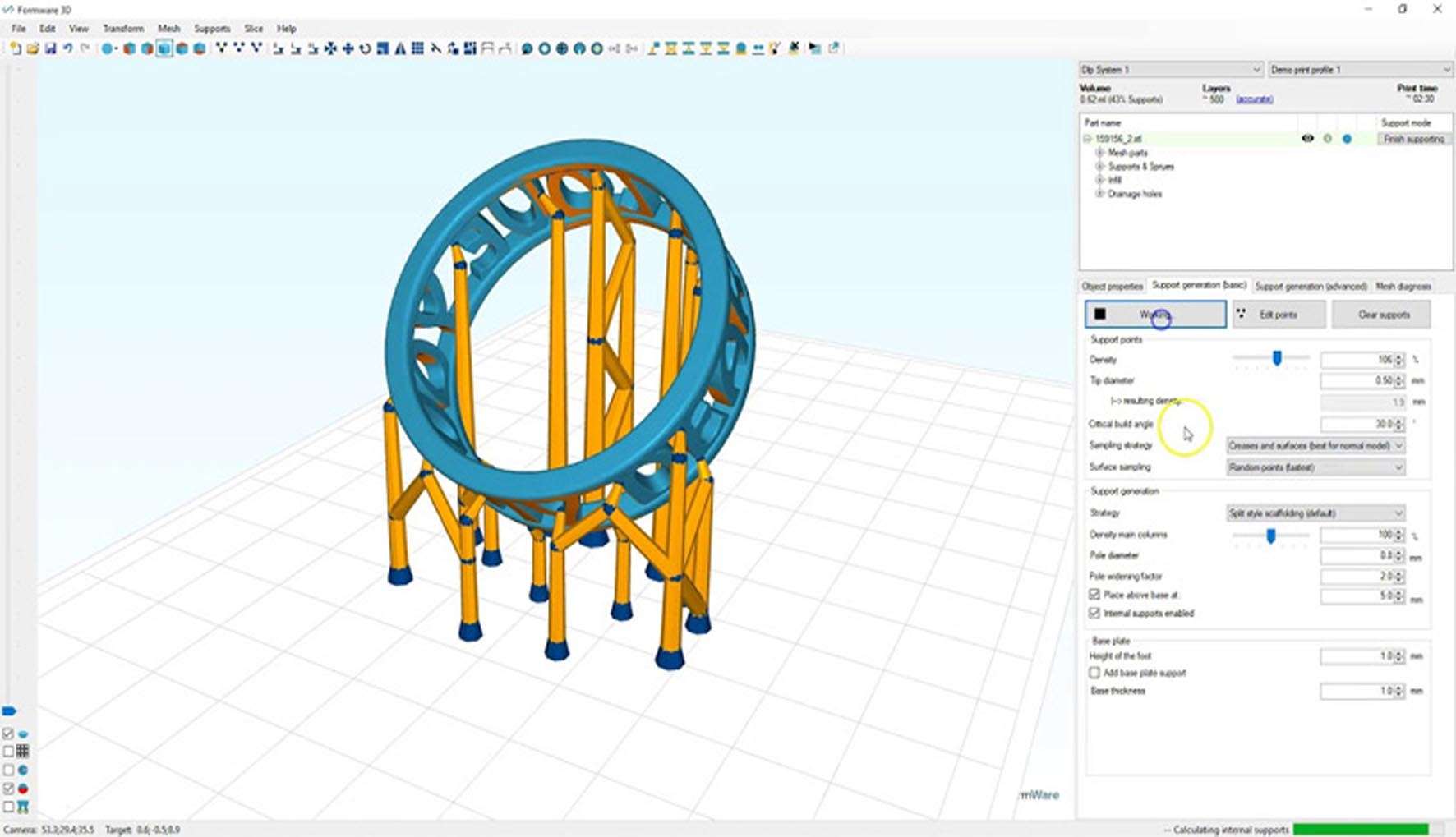
Formware differentiates itself with a responsive workflow and deep customization.
Real-Time Slicing Engine:
Instant Preview: As you adjust settings (infill, supports, speeds), the g-code visualization updates in near real-time, providing immediate feedback. This is a major usability enhancement over slicers that require a manual “slice” action for each change.
Layer-by-Layer Analysis: Detailed preview of all print moves, including travel moves, allowing for optimization to reduce stringing and print time.
Advanced Print Setting Management:
Per-Feature Settings: Define different print parameters for specific parts of the model: walls, top/bottom layers, infill, supports, and even first layer. This allows for strategies like printing outer walls slowly for quality and inner infill quickly for speed.
Material Profiles: Save and manage detailed profiles for specific filaments, including temperature, flow rate, and cooling behavior.
Custom Support Generation: Advanced tools for generating tree-like and block supports with fine control over density, contact points, and patterns.
Multi-Material & Complex Printing Support:
Multi-Extruder Workflow: Full support for printers with two or more extruders, enabling dissolvable supports (PVA/ HIPS) and multi-color or multi-material prints.
Model Modifiers: Use “painting” or mesh modifiers to assign different settings (like infill density or extruder) to specific regions of a single model.
Optimization & Analysis Tools:
Print Time & Material Estimation: Accurate calculations before printing.
G-code Viewer & Analyzer: Inspect and debug generated toolpaths.
Custom Scripting (Pro Feature): Ability to add pre- and post-processing G-code scripts for machine-specific actions.
Formware is a modern 3D application that requires decent graphics performance for its real-time visualization. The minimum system requirements are Windows 10 (64-bit) or macOS 10.14+, a dual-core processor with SSE2 support, 4 GB of RAM, a graphics card with OpenGL 3.2 support and 1 GB VRAM, 500 MB of free disk space, and a 1366×768 display.
For recommended use, especially when working with complex models and leveraging real-time slicing, a system with Windows 10/11 or macOS 11+, a quad-core processor, 8 GB of RAM, a dedicated graphics card (NVIDIA GeForce GTX 1050 / AMD Radeon RX 560 or better) with 2 GB+ VRAM, an SSD, and a 1920×1080 display will provide a smooth and responsive experience.
Price: 125 $
Price Currency: $
Operating System: Windows
Application Category: Printing








Reviews
There are no reviews yet.