
FotoJet Photo Editor is a versatile, user-friendly desktop application that combines photo editing, graphic design, and collage making into a single platform. It offers a wide range of templates, effects, and editing tools that allow users to quickly enhance photos, create social media graphics, invitations, posters, and photo collages with minimal learning curve. It’s positioned as an efficient alternative to online editors, providing offline capability and a streamlined workflow.
FotoJet Photo Editor is developed for social media managers, bloggers, small business owners, educators, and photography enthusiasts. It is specifically designed for users who need an accessible, all-in-one solution for quick photo editing, creative graphic design, and collage making without the complexity of professional software like Photoshop.
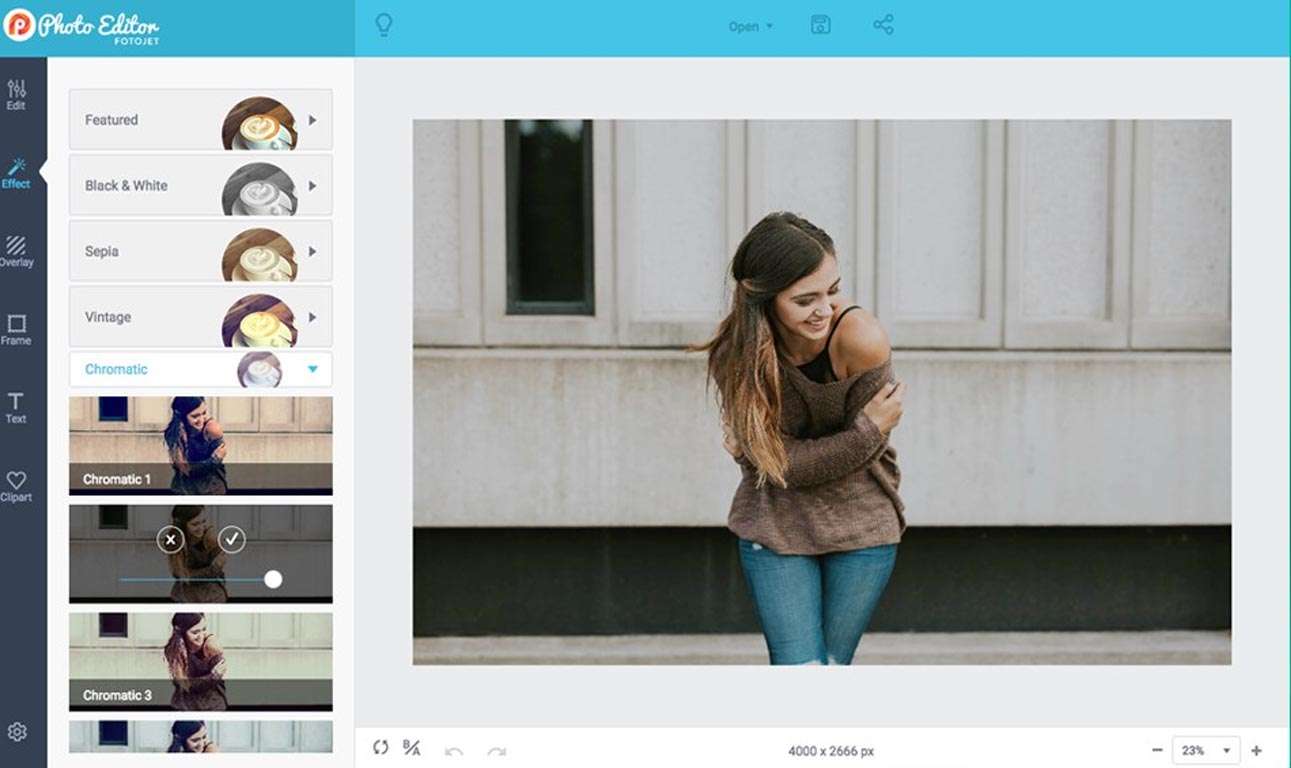
Basic Adjustments: Crop, rotate, resize, exposure, contrast, saturation, and sharpness controls.
Filters & Effects: One-click artistic filters, vintage effects, and photo enhancements.
Retouching Tools: Red-eye removal, blemish fix, teeth whitening, and skin smoothing.
Frames & Text: Add decorative borders and customizable text with various fonts and styles.
Overlays & Clipart: Library of stickers, shapes, and graphical elements.
Templates: Hundreds of pre-designed collage layouts for various occasions (family, holiday, social media).
Custom Layouts: Flexible grid designer to create custom collage patterns.
Background Customization: Change collage backgrounds with colors, patterns, or images.
Ready-Made Templates: Thousands of professionally designed templates for social media posts, YouTube thumbnails, flyers, cards, and banners.
Design Elements: Access to stock photos, fonts, vectors, and backgrounds.
Easy Customization: Drag-and-drop interface to modify templates with personal text and images.
This update focuses on expanded templates, improved performance, and user experience enhancements:
New Social Media Template Pack: Added 500+ new templates specifically optimized for latest social media formats (Instagram Stories, TikTok covers, Pinterest pins).
Enhanced AI Background Removal: Improved accuracy and edge refinement for the one-click background removal tool.
Performance Optimizations: Faster loading of templates and smoother editing experience, especially when working with multiple images.
Expanded Font Library: Added 200+ new licensed fonts for more creative typography options.
User Interface Polish: Minor UI/UX improvements for more intuitive navigation between editing, collage, and design modes.
OS: Windows 7 or later
CPU: 1 GHz processor or faster
RAM: 1 GB
GPU: Standard graphics card
Disk Space: 200 MB free space
Display: 1024 x 768 screen resolution
Price: 125 $
Price Currency: $
Operating System: Windows
Application Category: Graphics








Reviews
There are no reviews yet.