

Latest update
License Price
OS
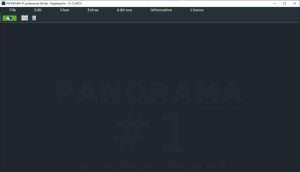
Franzis PANORAMA #1 professional is a sophisticated, AI-powered panorama stitching and image optimization software that transforms multiple photographs into seamless, high-resolution panoramic masterpieces. Developed by Franzis Verlag GmbH, this professional-grade application combines intelligent automation with precise manual controls to deliver exceptional results across horizontal, vertical, and multi-row panoramas. Version 1.12.04374 features advanced RAW processing, AI-powered filter modules, real-time color correction, and comprehensive sensor error correction all within an intuitive workflow that makes professional panorama creation accessible without sacrificing control. For photographers who demand gallery-quality panoramas without the tedious manual alignment and blending, Franzis PANORAMA #1 professional delivers unprecedented quality and efficiency.
This professional panorama stitching software is designed for:
Landscape & Nature Photographers creating seamless, high-resolution panoramic images from multiple shots.
Architectural & Interior Photographers producing distortion-free panoramas of buildings and spaces.
Real Estate & Property Photographers capturing immersive wide-angle views of properties.
Travel & Adventure Photographers documenting expansive scenes with professional quality.
Fine Art & Commercial Photographers producing gallery-quality panoramic prints.
Automatic Image Alignment:
Advanced algorithms for seamless image registration
Intelligent detection of overlapping areas
Automatic correction of alignment errors
Perfect stitching even with handheld shots
Multi-Row Support:
Stitch horizontal panoramas (single row)
Create vertical panoramas for tall subjects
Multi-row panoramas for maximum coverage
Support for complex grid arrangements
Perspective & Distortion Correction:
Automatic horizon straightening
Lens distortion compensation
Perspective correction for architectural accuracy
Sensor distortion correction
Comprehensive Projection Options:
Spherical Projection: Full 360-degree immersive panoramas
Cylindrical Projection: Wide-angle landscapes with natural perspective
Planar Projection: Standard flat panoramas for prints
Fisheye Projection: Creative ultra-wide effects
Little Planet Projection: Unique “tiny planet” creative panoramas
Mercator Projection: Specialized mapping-style projections
Creative Possibilities:
Transform standard panoramas into artistic visions
Experiment with different projection styles
Create unique visual effects for portfolios
Push beyond traditional panorama boundaries
Three Quality Levels:
Fast Mode: Optimized for speed and quick previews
High Quality: Balanced performance and image detail
Maximum Quality: Highest detail for critical applications
Exposure Optimization:
Three levels of automatic exposure balancing
Seamless blending of varying brightness levels
Consistent color across all source images
Natural-looking transitions
Comprehensive RAW Support:
Support for 1358 camera RAW formats
Full RAW development pipeline
Maintain maximum image quality throughout
Preserve highlight and shadow detail
RAW Optimization:
Exposure adjustment during RAW conversion
Contrast and tone curve control
Highlight and shadow recovery
Noise reduction and detail enhancement
AI-Powered Enhancements:
30 pre-trained AI image styles and effects
Automatic image optimization
Creative artistic filters
Style transfer and enhancement
LUT Support:
Professional color grading with LUT styles
Consistent look across all images
Custom color grading workflows
Integration with professional color pipelines
Live Color Adjustments:
Real-time preview of all color changes
Brightness and contrast control
White balance adjustment
Saturation and vibrance control
Tone curve editing
Professional Color Tools:
Precise color grading capabilities
HSL (Hue, Saturation, Luminance) adjustments
Split toning for creative effects
Color cast removal
Selective Masking:
Effect Masks: Targeted image enhancements
Color Filter Masks: Precise color adjustments
Paint Masks: Creative color effects
12 Blend Masks: Advanced image compositing
Precision Editing:
Edit specific areas without affecting entire image
Fine-tune local contrast and exposure
Apply creative effects selectively
Professional-grade local adjustments
Pixel-Level Accuracy:
Integrated magnifying glass for detailed inspection
Comparison window for before/after analysis
Precision cropping with guidelines
Over 60 predefined aspect ratio templates
Custom crop options
Fine-Tuning Tools:
Manual alignment override when needed
Edge blending adjustments
Seam correction tools
Artifact removal
Simulated Depth:
Depth of field effects (bokeh simulation)
Realistic lighting simulation
Adjustable light intensity and direction
Creative spatial depth enhancement
Artistic Possibilities:
Add visual depth to flat panoramas
Create dimensional interest
Enhance compositional impact
Professional finishing touches
Advanced Sensor Correction:
Correct up to 500 manual correction points
Remove sensor artifacts and blemishes
Fix optical imperfections
Enhance overall image clarity
Precision Correction:
Dust spot removal
Sensor noise correction
Artifact elimination
Detail restoration
Efficient Batch Processing:
Process multiple panoramas automatically
Apply consistent settings across projects
Automated workflow optimization
Save time on large projects
Plugin Integration:
Seamless integration with Adobe software
Enhanced editing workflow
Professional pipeline compatibility
Round-trip editing capability
All edits reversible
Original files preserved
Experiment without risk
Flexible revision capability
Enhanced AI Filter Module – New AI styles with improved processing algorithms
Expanded RAW Support – Additional camera formats added
Multi-Row Stitching Improvements – Better alignment for complex grid panoramas
Real-Time Color Module Updates – Faster preview with additional controls
Performance Optimizations – Quicker processing for high-resolution images
UI/UX Refinements – Streamlined interface with improved workflow
Sensor Correction Enhancements – More precise artifact removal
Stability Improvements – Bug fixes and reliability enhancements
New Projection Options – Additional creative panorama types
Batch Processing Updates – More efficient multi-image workflows
OS: Windows 10 or Windows 11 (64-bit)
CPU: Intel or AMD multi-core processor
RAM: 4 GB
Storage: 2 GB free disk space
Display: 1280 × 800 minimum resolution
OS: Windows 11 (64-bit)
CPU: Intel Core i7/i9 or AMD Ryzen 7/9 (6+ cores)
RAM: 8-16 GB (more for large multi-row panoramas)
Storage: 10 GB SSD for fast processing
GPU: Graphics card with OpenCL support (recommended for acceleration)
Display: 1920 × 1080 resolution or higher
Price: 125 $
Price Currency: $
Operating System: Windows
Application Category: Other
Latest update
License Price
OS









Reviews
There are no reviews yet.