

Latest update
License Price
OS
Honeywell ComfortPoint Open (CPO) Studio Tool is a specialized engineering software developed by Honeywell for configuring, programming, and managing Building Management Systems (BMS) and Building Automation Systems (BAS). Designed specifically for working with ComfortPoint Open controllers and related Honeywell intelligent building products, it provides a comprehensive environment for creating custom control logic, configuring I/O modules, establishing system communications, and integrating with higher-level management platforms. The tool enables implementation of sophisticated HVAC, lighting, energy management, and security controls in commercial, industrial, and institutional facilities through standard programming languages and protocols.
This professional building automation software is designed for:
BMS/BAS System Engineers configuring Honeywell ComfortPoint Open controllers.
HVAC Control Programmers using FBD and Ladder Logic for building automation.
System Integrators & Commissioning Engineers implementing and testing building management systems.
Facility Management Technical Teams maintaining and troubleshooting installed Honeywell systems.
Honeywell Partner Technicians servicing ComfortPoint Open based installations.
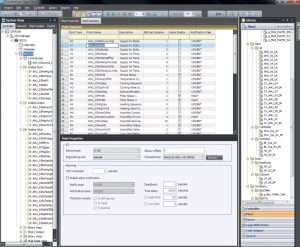
Controller Configuration: Hardware and software parameter setup for ComfortPoint Open controllers with support for various I/O modules.
Standard Programming Languages: Function Block Diagram (FBD) and Ladder Logic for creating custom control logic and functions.
Real-Time Monitoring & Diagnostics: Live data visualization, error detection, and system troubleshooting capabilities.
BMS/BAS Integration: Connectivity with management platforms like Honeywell EBI, Niagara Framework, and support for industrial protocols.
Protocol Support: Native compatibility with BACnet, Modbus, LONWorks, and other standard building automation protocols.
Security & User Management: Role-based access control for operators, engineers, and administrators.
Enhanced Protocol Support: Expanded compatibility with latest building automation standards and protocols.
Improved Programming Environment: More intuitive FBD and Ladder Logic editors with enhanced debugging tools.
Advanced Diagnostics: Better troubleshooting capabilities and system performance monitoring.
Cloud & Remote Management: Initial support for cloud connectivity and remote system access.
Expanded Device Library: Updated support for newest Honeywell ComfortPoint Open controllers and peripherals.
Processor: Intel Core i3 (minimum) / Intel Core i5 or higher (recommended)
RAM: 4 GB (minimum) / 8 GB or more (recommended)
Storage: 5 GB free space (minimum) / 10 GB free space (recommended)
Graphics: DirectX 9 compatible (minimum) / DirectX 11 compatible (recommended)
Display: 1024×768 resolution (minimum) / 1920×1080 Full HD (recommended)
OS: Windows 7 SP1 (until 2020) / Windows 10 64-bit (recommended) / Windows Server 2012 R2/2016/2019
Frameworks: Microsoft .NET Framework 4.5.2+, Microsoft Visual C++ Redistributable
Drivers: Honeywell USB Drivers, BACnet/IP or Modbus TCP Drivers as needed
Price: 0 $
Price Currency: $
Operating System: Windows
Application Category: Automation
Latest update
License Price
OS


Reviews
There are no reviews yet.