

Latest update
License Price
OS
Hot Door CADtools is the industry-standard technical drawing and dimensioning toolkit that transforms Adobe Illustrator into a powerful CAD (Computer-Aided Design) platform—without requiring users to learn complex, standalone CAD software. Organized into 10 comprehensive tool groups, CADtools adds over a hundred precision drawing, editing, dimensioning, and labeling tools directly to Illustrator’s interface, enabling designers to create technically accurate, scaled drawings while maintaining the creative flexibility of Illustrator’s native environment.
Version 30.2.0 continues Hot Door’s two-decade legacy of innovation, with full compatibility across Illustrator 2024-2026 (v28-v30) and support for multiple languages including English, Japanese, Simplified Chinese, and Traditional Chinese. For designers who need to combine artistic creativity with technical precision, CADtools is not merely an add-on—it is an essential transformation of what Illustrator can achieve.
This professional technical illustration toolkit is designed for:
Graphic Designers & Technical Illustrators creating precise technical drawings, diagrams, and schematics in Adobe Illustrator.
Architects & Interior Designers producing scaled floor plans, elevations, and detailed construction documents.
Product Designers & Industrial Engineers developing dimensioned product drawings and manufacturing specifications.
Landscape Architects & Urban Planners creating scaled site plans with accurate measurements.
Packaging Designers developing die lines and technical specifications for manufacturing.
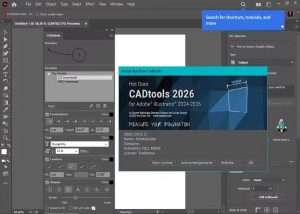
CADtools organizes its extensive functionality into ten logical tool groups, each addressing specific aspects of technical drawing:
1. Drawing Tools:
Precise line, arc, circle, rectangle, and polygon creation
Grid and guide systems for accurate placement
Snap-to-object and alignment assistance
Parametric shape generation
2. Editing Tools:
Advanced transform and modification tools
Trim, extend, and break functions
Fillet and chamfer for corners
Offset paths and parallel lines
3. Dimension Tools:
Span Dimension Tools – Measure distances between multiple points
Horizontal and vertical dimensions
Aligned and rotated dimensions
Radial and diameter dimensions for circles and arcs
Angular dimensions between lines
Chain and baseline dimensions for architectural drawings
4. Labeling Tools:
Boxed Text – Professional callouts with customizable frames
Area and volume labels
Coordinate labels for precise positioning
Part numbering and balloon labels
5. Scale Tools:
Scale Calculator – Precise scaling of drawings and objects
Unit conversion (inches, feet, millimeters, meters)
Scale factor management
Maintain proportions while scaling
6. Creation Tools:
Object generators for common technical elements
Grid and pattern creation
Symbol and part libraries
Reusable component management
7. Transformation Tools:
Rotate, reflect, and shear with precision
Move and copy with coordinate input
Array and pattern duplication
Align and distribute controls
8. Annotation Tools:
Text leaders and callouts
Notes and specifications
Revision tracking and markup
Construction labels
9. Measurement Tools:
Distance and area calculation
Perimeter measurement
Real-time dimension display
Object property reporting
10. Utility Tools:
CADshortcuts – Time-saving keyboard shortcuts
Layer management utilities
Drawing cleanup tools
Export and format helpers
Span Dimension Tools:
Measure across multiple points and objects
Automatic dimension line placement
Customizable dimension styles
Associative dimensions that update with object changes
Boxed Text:
Professional callouts with customizable frames
Automatic text wrapping
Leader line options
Style templates for consistent annotation
Precision Scaling:
Scale entire drawings or selected objects
Convert between measurement units
Maintain aspect ratios
Real-time scale preview
Perfect for architectural and engineering drawings
Productivity Accelerators:
Predefined keyboard shortcuts for common CAD operations
Customizable shortcut assignments
Faster workflow without menu navigation
Access to frequently used tools instantly
Point Path Navigation:
Follow point paths for precise edits
Apply changes along defined trajectories
Create complex curved elements with precision
Maintain accuracy throughout modifications
Available Languages:
English
Japanese
Simplified Chinese
Traditional Chinese
Independent of operating system language setting
Seamless Workflow:
Tools appear in Illustrator’s toolbar and menus
Native Illustrator objects remain fully editable
CAD objects are standard Illustrator paths
No external file conversion needed
Full compatibility with Illustrator’s native features
Illustrator 2026 (v30) Support – Full compatibility with latest Adobe Illustrator release
Enhanced Dimension Tools – Improved associative dimension updates and styles
Span Dimension Improvements – More flexible multi-point measurement options
Scale Calculator Updates – Enhanced unit conversion and scaling precision
CADshortcuts Expansion – Additional keyboard shortcuts for common operations
UI/UX Refinements – Streamlined tool organization and access
Performance Optimizations – Faster operation with complex drawings
Stability Enhancements – Bug fixes and reliability improvements
Multi-Language Updates – Refined translations for all supported languages
Host Application: Adobe Illustrator 2024 (v28), 2025 (v29), or 2026 (v30)
Price: 125 $
Price Currency: $
Operating System: Windows
Application Category: CAD
Latest update
License Price
OS











Reviews
There are no reviews yet.