
KiCad 9.0.6 is a major, feature-rich update in the leading free and open-source software suite for electronic design automation (EDA). It provides a complete, professional-grade workflow for creating electronic schematics and designing printed circuit board (PCB) layouts, from concept to manufacturing file generation. The 9.x series introduced significant architectural and usability improvements, and version 9.0.6 is a stable maintenance release that polishes these new features, fixing bugs and enhancing reliability.
It stands as a powerful, cost-free alternative to proprietary EDA tools, trusted by individuals, startups, and large companies for designing everything from simple Arduino shields to complex multi-layer boards.
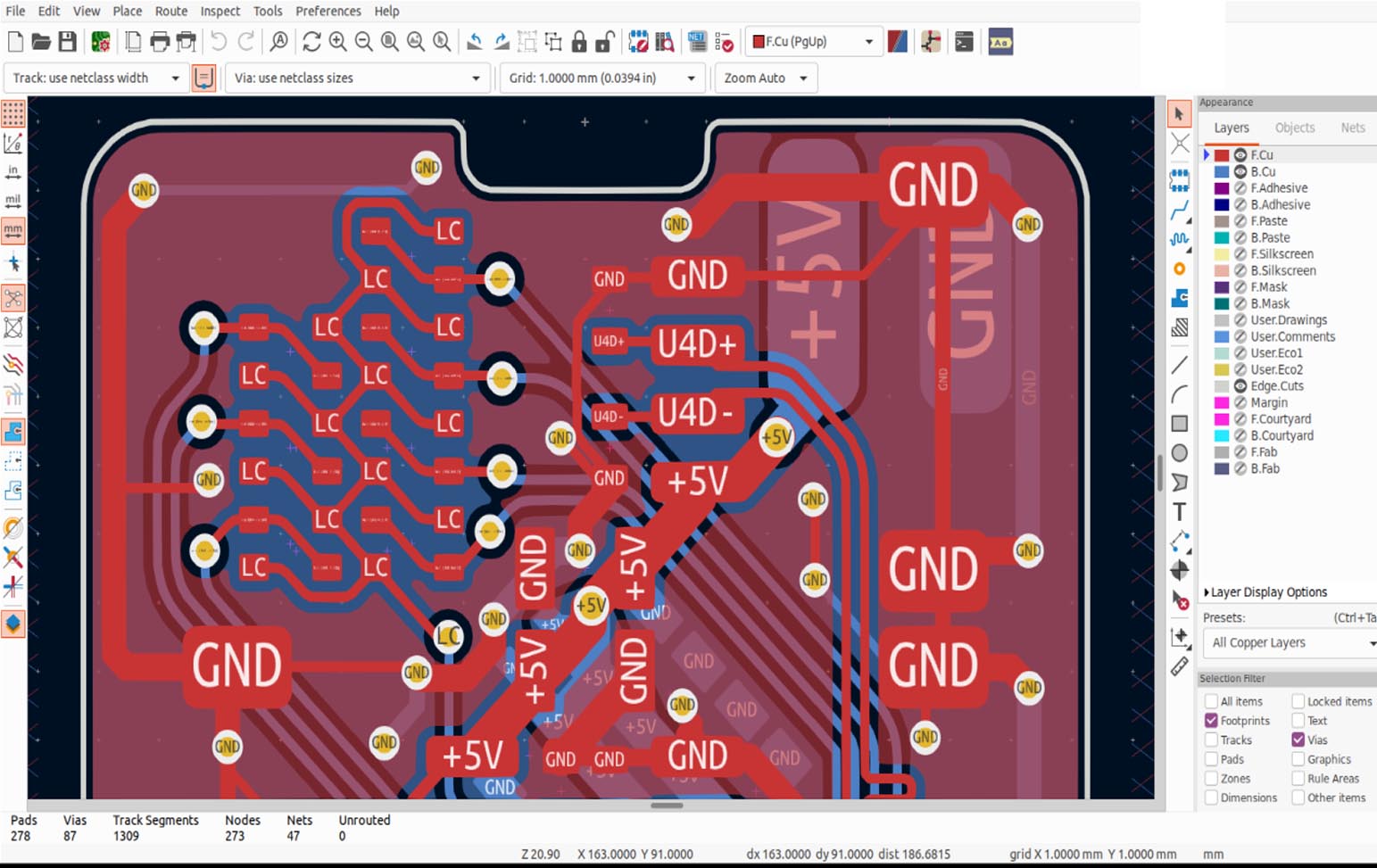
Key Features & Capabilities
KiCad 9.0.6 is a fully integrated suite of powerful, interoperable applications.
Core Applications in the Suite:
1. KiCad Schematic Editor (Eeschema):
· Create hierarchical schematics with multi-sheet support.
· Electrical Rules Check (ERC): Automatically detects common connection errors.
· Symbol Editor: Create and edit custom schematic symbols.
· Bill of Materials (BOM) Generation: Export to various formats (CSV, XML) with customizable scripts.
2. KiCad PCB Editor (Pcbnew):
· Modern, High-Performance Canvas: The 9.x series features a new, faster graphics engine with improved rendering and smooth pan/zoom.
· Push & Shove Router: An interactive router that pushes existing tracks and vias out of the way as you route new connections.
· Differential Pair Routing & Length Tuning: Essential for high-speed digital design (USB, DDR, PCIe).
· Design Rules Checker (DRC): Enforces clearances, widths, and manufacturing constraints.
3. Footprint & 3D Model Tools:
· Footprint Editor: Create and edit component footprints (land patterns).
· Integrated 3D Viewer: Realistic 3D visualization of the assembled PCB using built-in and downloadable 3D models (STEP format). The 9.0 series improved 3D performance and material rendering.
4. Workflow & Interoperability:
· Seamless Integration: Schematic components, footprints, and nets are synchronized bidirectionally between Eeschema and Pcbnew.
· Manufacturing Outputs: Generate industry-standard Gerber, Drill, Pick & Place, and Gerber X2 files.
· SPICE Simulation Integration: Via the built-in ngspice integration or external tools.
🖥️ System Requirements
KiCad 9 is a modern application with reasonable hardware demands. The minimum system requirements include a 64-bit operating system (Windows 10+, macOS 10.15+, or a modern Linux distribution), a dual-core processor, 4 GB of RAM, 2 GB of free disk space, and a graphics card supporting OpenGL 3.3 or later.
For recommended professional use, especially when working on complex, multi-layer boards with 3D visualization, a 64-bit OS (Windows 11, macOS 12+, Ubuntu 22.04 LTS), a quad-core processor (Intel i5/i7 or AMD Ryzen 5/7), 16 GB of RAM, a dedicated graphics card with 2 GB+ VRAM, and an SSD with 10+ GB of free space are strongly advised for optimal responsiveness.
Price: 125 $
Price Currency: $
Operating System: Windows
Application Category: Electronics













Reviews
There are no reviews yet.