
OCCT (OverClock Checking Tool) is a powerful, all-in-one stability testing and hardware monitoring utility for Windows. It pushes system components to their limits using specialized, intensive workloads to uncover instabilities that typical software might not reveal. With real-time sensor monitoring and detailed error detection, it is an essential tool for verifying system reliability after hardware changes, overclocking, or before demanding workloads like gaming and rendering.
OCCT is developed for PC enthusiasts, hardware reviewers, system builders, overclockers, and IT professionals. It is specifically designed for users who need to stress-test computer components, diagnose system instability, monitor hardware performance, and validate the stability of overclocks on CPUs, GPUs, and power supplies.
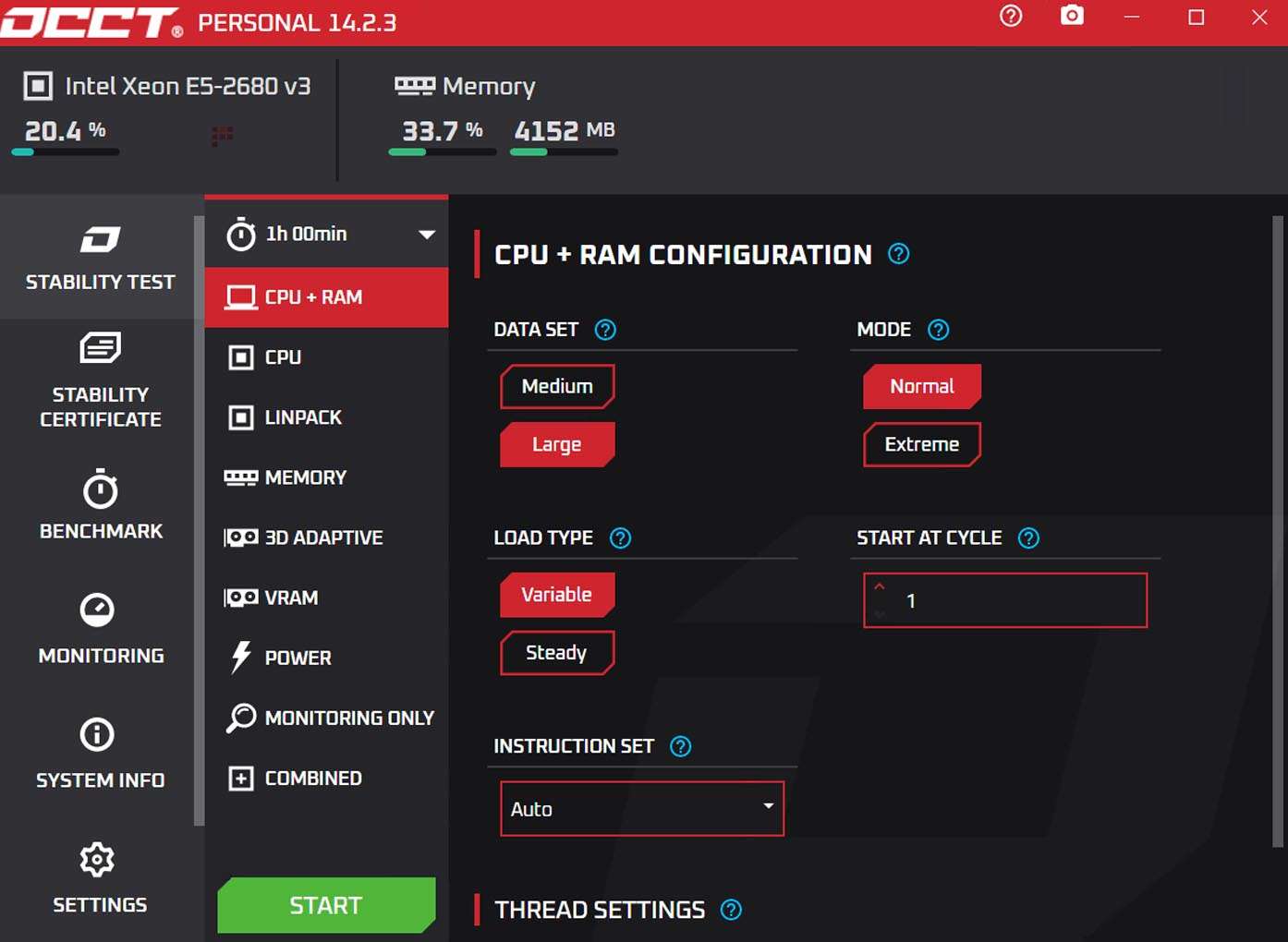
Comprehensive Stress Testing: Dedicated test modes for CPU (with SSE/AVX instruction sets), GPU (3D and VRAM), and Power Supply (simultaneous CPU+GPU load).
Real-Time Hardware Monitoring: Built-in monitoring graphs for voltages, temperatures, clock speeds, fan speeds, and power draw from the CPU, GPU, and motherboard sensors.
Advanced Error Detection: Actively scans for computation errors (WHEA errors), graphical artifacts, and system crashes during tests to pinpoint unstable components.
Customizable Test Profiles: Full control over test duration, load levels, thread counts, and memory allocation to tailor stress tests for specific scenarios.
Built-in Monitoring & Benchmarking: Includes performance benchmarks for CPU and GPU to compare results before and after hardware changes or tuning.
User-Friendly Interface: Presents complex monitoring data in clear, color-coded graphs and allows for easy test configuration even for novice users.
Reporting & Logging: Generates detailed logs and graphs of all monitored parameters during a test session for analysis and sharing.
This update focuses on enhanced monitoring accuracy, new hardware support, and user experience improvements:
Expanded Sensor Support: Added monitoring for newer CPU models (Intel 14th/15th Gen, AMD Ryzen 8000 series) and latest GPU series from NVIDIA and AMD.
Refined Power Supply Test: Improved algorithms for the PSU test to provide a more consistent and accurate maximum load scenario.
User Interface Optimizations: Streamlined the layout of monitoring graphs and test settings for better visibility and easier navigation.
Enhanced Stability Detection: Tweaks to the error-checking algorithms for both CPU and GPU tests to reduce false positives and catch instabilities more reliably.
Bug Fixes & Performance: General stability improvements for the application itself and fixes for issues related to specific motherboard sensor chipsets.
OS: Windows 10/11 (64-bit)
CPU: x64 processor (Modern multi-core CPU recommended for effective testing)
RAM: 512 MB minimum, 1 GB recommended
GPU: DirectX 11 compatible graphics card for GPU testing features
Disk Space: 600 MB free space for installation
Other: .NET Framework 4.8 or later. Administrator rights are required to access low-level hardware sensors and perform stress tests.
Price: 125 $
Price Currency: $
Operating System: Windows
Application Category: IT











Reviews
There are no reviews yet.