
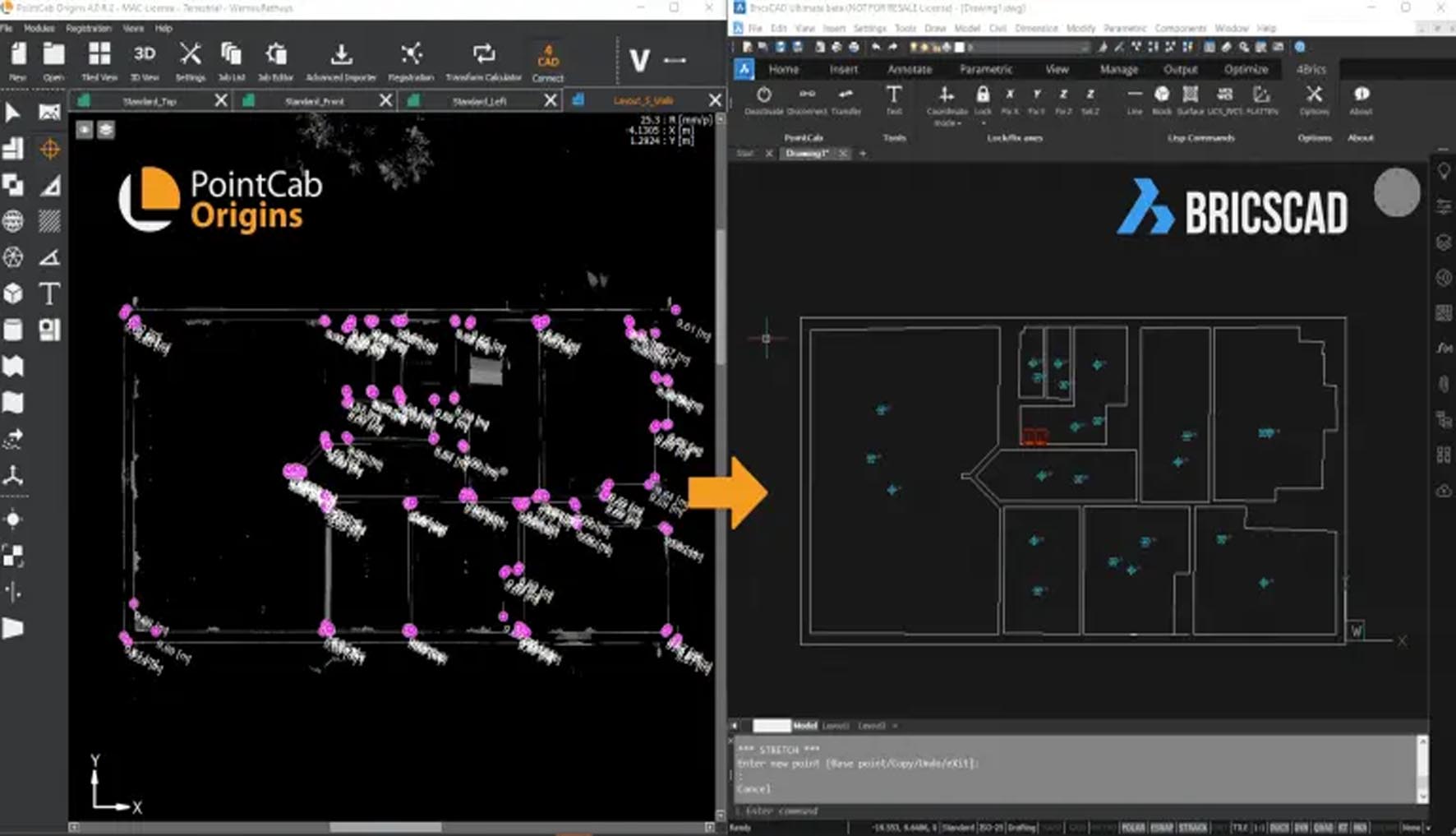
PointCab 4BricsCAD is the specialized version of PointCab optimized for BricsCAD, providing seamless point cloud processing within the BricsCAD environment. It offers all the core PointCab functionality intelligent point cloud compression, feature extraction, automated drafting while leveraging BricsCAD’s unique features like direct modeling and AI-assisted drawing. This version is particularly valuable for users who have standardized on BricsCAD for its cost-effectiveness, performance, or specific features not available in AutoCAD.
PointCab 4BricsCAD serves professionals in the BricsCAD ecosystem:
BricsCAD Power Users working with point cloud data for as-built documentation
Surveyors & Geomatic Engineers preferring BricsCAD over AutoCAD
Civil Engineers using BricsCAD for infrastructure projects
Architects & Designers leveraging BricsCAD’s BIM capabilities with scan data
Cost-Conscious Firms using BricsCAD as AutoCAD alternative
Educational Institutions teaching CAD with BricsCAD
BricsCAD-Optimized Engine: Algorithms specifically tuned for BricsCAD’s architecture
Direct Modeling Integration: Point cloud data directly usable in BricsCAD’s direct modeling workflows
BIM Integration: Seamless workflow with BricsCAD BIM for scan-to-BIM processes
Sheet Manager Integration: Works with BricsCAD’s advanced sheet/layout management
Quad Cursor Integration: Point cloud snapping integrated with BricsCAD’s quad cursor
Drawing Assistant Compatibility: Works with BricsCAD’s AI drawing assistant
Mechanical Integration: Point cloud data for mechanical design and reverse engineering
LISP/BRX Compatibility: Full support for BricsCAD’s programming interfaces
BricsCAD Vault Integration: Works with BricsCAD’s data management system
Multi-Document Interface: Full support for BricsCAD’s MDI
Ribbon Interface: Native integration with BricsCAD’s ribbon UI
Tool Palette Support: Custom tool palettes for point cloud tools
BricsCAD AI Drawing Assistant Integration: Point cloud data feeds BricsCAD’s AI for automated drafting suggestions
Quad Cursor Enhancement: Context-aware point cloud snapping in quad cursor
Sheet Set Manager Integration: Automated drawing generation integrated with sheet sets
BricsCAD Communicator: Enhanced data exchange with other CAD systems
BricsCAD V24 Optimization: Specifically optimized for BricsCAD V24’s new engine
64-bit Native Performance: Full leverage of BricsCAD’s 64-bit architecture
Memory Management: Better integration with BricsCAD’s memory handling
Multi-core Processing: Enhanced parallel processing within BricsCAD environment
BricsCAD BIM Deep Integration: Point clouds as reference in BIM workflows
3D Modeling from Point Clouds: Direct creation of BricsCAD 3D solids from point data
Point Cloud Constraints: Use point clouds as constraints in parametric modeling
Classification for BIM: AI classification optimized for BIM element recognition
BricsCAD UI Consistency: Matches BricsCAD’s updated interface guidelines
Custom Workspaces: PointCab tools integrated into custom workspaces
Toolbox Integration: Added to BricsCAD’s customizable toolboxes
Contextual Ribbon Tabs: Dynamic ribbon tabs based on point cloud selection
BricsCAD Version: BricsCAD Pro, BIM, or Ultimate V23, V23.2, V24 (64-bit)
OS: Windows 10/11 Pro 64-bit (latest updates)
.NET Framework: 4.8 or later
Visual C++: 2015-2022 Redistributable
Minimum Configuration:
CPU: Intel Core i5-10400 or AMD Ryzen 5 3600 (6 cores)
RAM: 16 GB (32 GB recommended)
GPU: NVIDIA GeForce GTX 1650 or equivalent (4 GB VRAM)
Storage: 500 GB SSD
Display: 1920×1080
Recommended Professional Configuration:
CPU: Intel Core i7-13700K or AMD Ryzen 7 7700X (16 threads)
RAM: 64 GB DDR5
GPU: NVIDIA RTX 4060 (12 GB VRAM) or Quadro RTX A2000
Storage: 1 TB NVMe Gen4 SSD + 2 TB project storage
Display: Dual 2560×1440 monitors
Price: 325 $
Price Currency: $
Operating System: Windows
Application Category: Surveying


Reviews
There are no reviews yet.