
Synchro plus SimTraffic is the integrated, industry-leading software suite for traffic signal timing, coordination, and microscopic simulation. Synchro is the core application for creating and optimizing signal timing plans (cycle lengths, splits, offsets) using robust analytical models. SimTraffic is its companion microscopic traffic simulation module that visualizes and validates these plans by simulating individual vehicle movements in a realistic, stochastic environment. Used together, they allow engineers to move from theoretical capacity analysis (in Synchro) to visual verification of queue lengths, delays, and complex interactions (in SimTraffic) before implementing changes in the field.
This combination is the standard toolset for improving traffic flow, reducing congestion, and justifying signal timing investments.
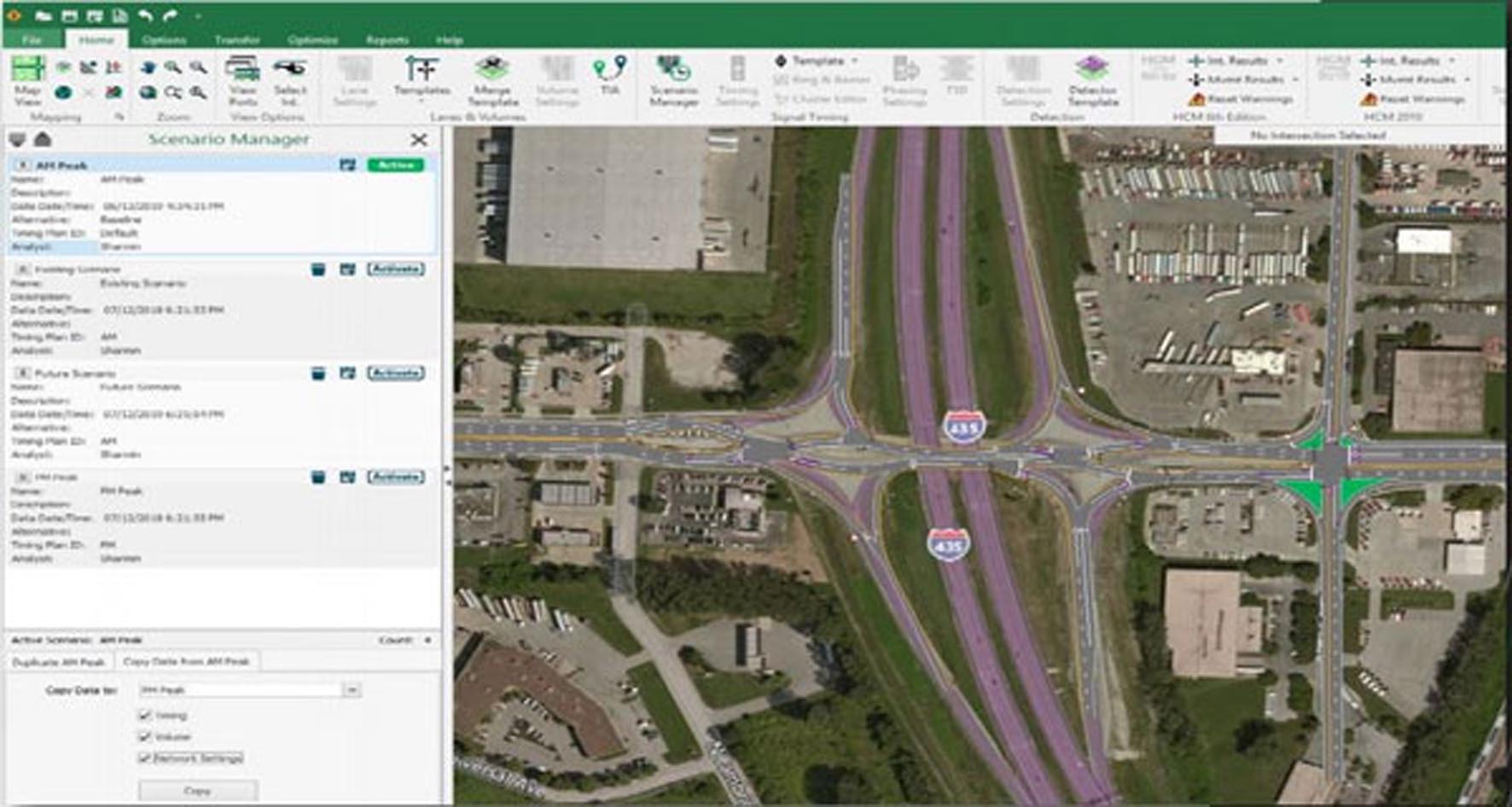
The suite provides a complete workflow from data entry to animated simulation and reporting.
Network Modeling:
Intuitive Intersection Editor: Graphical input of lane configurations, volumes, phasing, and timing parameters.
Capacity Analysis: Calculates Level of Service (LOS), delays, stops, and queue lengths using methods from the Highway Capacity Manual (HCM).
Coordination & Progression: Optimizes offsets for arterial and network-wide signal coordination to create “green bands.”
Optimization Engines:
Automated Timing Plan Generation: Creates optimal cycle lengths, splits (green times), and offsets to minimize user-selected measures like delay, stops, or fuel consumption.
Time-of-Day Analysis: Develops and manages multiple timing plans for different periods (AM peak, PM peak, off-peak, night).
Reporting & Output:
Standardized Reports: Generates HCM-style intersection summary reports, coordination diagrams (time-space), and MOEs (Measures of Effectiveness).
Export to Controllers: Can export timing plans to various traffic signal controller formats (Econolite, Siemens, etc.).
Realistic Simulation:
Vehicle-by-Vehicle Modeling: Simulates individual cars, trucks, and pedestrians with realistic driver behavior (gap acceptance, lane changing, car-following).
Animation: Provides a compelling visual animation of the network, making it easy to communicate plans to stakeholders and identify issues like spillback or gridlock.
Validation & Advanced Analysis:
Scenarios & Alternatives: Test and compare different timing plans, geometries, or volume scenarios side-by-side.
Detailed Statistics: Outputs comprehensive simulation-based MOEs beyond the analytical model, including travel times, stops, fuel use, and emissions.
Integration: Runs directly from the Synchro model—no re-entry of data is required. A seamless “Run SimTraffic” command launches the simulation.
Modernized User Interface: A more intuitive, ribbon-based UI.
3D Visualization: Enhanced 3D visualization capabilities within SimTraffic.
Connected & Automated Vehicles (CAV) Modeling: Growing capabilities to model CAV behaviors.
Cloud Computing & Batch Processing: Options for running multiple simulations in the cloud.
Improved Data Import/Export: Better integration with traffic data collection systems and GIS.
As a simulation package, it requires a capable PC. The minimum system requirements are Windows 10/11 (64-bit), a 2 GHz processor, 8 GB of RAM, a graphics card with 1 GB VRAM and DirectX 11 support, 2 GB of free disk space, and a 1280×1024 display.
For recommended professional use, especially for simulating large networks, a Windows 10/11 Pro system with a fast multi-core processor (Intel i7/i9 or AMD Ryzen 7/9), 16-32 GB of RAM, a dedicated graphics card (NVIDIA GeForce or Quadro) with 4 GB+ VRAM, an SSD, and a high-resolution monitor is strongly advised.
Price: 125 $
Price Currency: $
Operating System: Windows
Application Category: Civil Engineering





Reviews
There are no reviews yet.