

Latest update
License Price
OS
Thea for Rhino is a high-quality, physically-based rendering engine deeply integrated into Rhinoceros 3D, developed by Altair Engineering—renowned for high-performance simulation and visualization tools. Unlike standalone renderers that disrupt workflow, Thea operates natively within Rhino’s interface, allowing designers to move seamlessly from modeling to photorealistic visualization without ever leaving their design environment. It uniquely combines multiple state-of-the-art rendering technologies—including Presto hybrid GPU/CPU, Adaptive unbiased CPU, and Interactive real-time engines—all within a single plugin. This flexibility empowers Rhino users across architecture, product design, jewelry, and industrial visualization to choose the perfect balance between interactive speed and final-frame photorealism for any project.
This professional rendering plugin is designed for:
Product & Industrial Designers creating photorealistic visualizations of consumer goods, electronics, and machinery.
Jewelry Designers & Gemologists rendering precious metals, gemstones, and complex refractive materials with scientific accuracy.
Architects & Architectural Visualizers simulating realistic daylight, interiors, and material finishes.
Automotive & Transportation Designers visualizing vehicles with accurate paint finishes and reflections.
Furniture & Lighting Designers presenting products with studio-quality lighting and material fidelity.
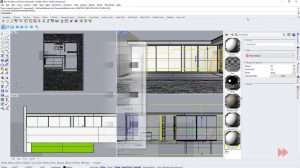
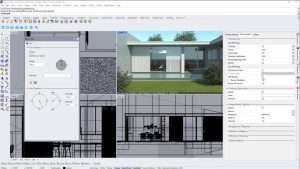
A. Presto (Hybrid GPU+CPU Engine)
Utilizes both CUDA (NVIDIA) and OpenCL (AMD/Intel) for maximum hardware utilization
Ideal for interactive rendering and rapid previews
Physically accurate global illumination, depth of field, motion blur, and caustics
AI denoising for clean results with fewer samples
B. Adaptive (Unbiased CPU Engine)
Pure physically-based path tracing for ultimate accuracy
Perfect for product visualization, jewelry, and precision lighting studies
Exact reflections, refractions, and subsurface scattering
Slower than Presto but delivers scientifically accurate, museum-quality renders
C. Interactive Rendering (IR)
Real-time updates reflecting geometry, material, lighting, and camera changes instantly
Dockable window within Rhino’s interface for immersive design experience
Live client presentations and rapid design iteration
Native toolbar and panels added directly to Rhino’s workspace
Real-time synchronization between Rhino model and render view
Full support for Rhino layers, object properties, and native materials
No exporting or external application switching required
Compatible with Rhino 6, 7, 8, and 9 (64-bit)
Physically-Based Rendering (PBR): Accurate light-surface interactions with metalness/roughness and specular/glossiness workflows
Layered Material Editor: Combine coatings, transparency, metals, and roughness layers
Subsurface Scattering (SSS): Realistic rendering of skin, wax, marble, milk, and gemstones
Thin Film & Iridescence: Optical coatings, soap bubbles, oil slicks, and anodized metals
Procedural Textures: Noise, gradient, Fresnel, and pattern nodes for parametric control
Comprehensive Preset Library: Ready-to-use materials for glass, metals, plastics, wood, stone, and fabrics
Sun & Sky System: Realistic daylight simulation based on geographic location, date, and time
HDRI Environment Lighting: High dynamic range dome and spherical maps for accurate reflections and global illumination
Emissive Materials: Any object or surface can act as a light source
IES Photometric Lights: Precision architectural lighting profiles
Soft Shadows & Caustics: Physically correct light behavior through transparent and reflective surfaces
Interactive Light Editing: Real-time adjustment of all lighting parameters
Real Camera Simulation: ISO, shutter speed, f-stop, exposure compensation
Depth of Field (DOF): Cinematic focus with bokeh control and iris simulation
Motion Blur: Realistic blur for moving objects
Bloom & Glare: Lens effects for atmospheric realism
Perspective Correction: Architectural tilt-shift simulation
Native Rhino Camera Support: Direct use of Rhino cameras or independent Thea camera controls
Non-Destructive Workflow: Adjust tonemapping, exposure, and white balance after rendering
Render Channels (AOVs): Alpha, depth, normals, shadows, reflections, refraction, material ID, object ID
Color Grading: Curves, levels, saturation, and filmic looks
Lens Effects: Bloom and glare application in post
Multi-Format Export: EXR (multi-layer), PNG, TIFF, JPEG
NVIDIA OptiX & Intel Open Image Denoise: AI-powered noise removal for clean results in fractions of traditional render times
Adaptive Sampling: Intelligently focuses computational resources on complex noisy areas
Progressive Rendering: Usable images at any stage—stop rendering whenever quality is sufficient
Region Rendering: Focus rendering power on specific areas for faster test renders
Network Rendering: Distributed rendering across multiple machines for reduced render times
Game-engine style real-time viewport navigation
Instant lighting and material updates
GPU-accelerated smooth performance
Perfect for client walkthroughs and design reviews
Dockable directly within Rhino workspace
Enhanced Presto Engine: Optimized hybrid rendering performance for latest NVIDIA RTX 40-series and AMD RDNA 3 architectures
Rhino 9 Full Compatibility: Complete support for Rhino 9’s new features and workflow enhancements
Advanced AI Denoising: Updated deep learning models for superior noise reduction with minimal detail loss
Expanded IES Library: Additional manufacturer photometric profiles for architectural lighting
Improved Material Conversion: Better translation of Rhino native materials to Thea PBR shaders
Faster Interactive Rendering: Optimized real-time viewport performance for complex scenes
New Procedural Textures: Additional pattern and noise nodes for parametric material control
OS: Windows 10/11 (64-bit only)
Host Software: Rhinoceros 6, 7, 8, or 9 (64-bit editions)
Price: 125 $
Price Currency: $
Operating System: Windows
Application Category: Architecture
Latest update
License Price
OS


Reviews
There are no reviews yet.