
Topaz Photo Pro is a next-generation, all-in-one photo editing application that integrates multiple AI-powered tools into a cohesive workspace. It represents a shift from using separate applications like Topaz Gigapixel AI, DeNoise AI, and Sharpen AI to a unified platform where these powerful AI models work together non-destructively on the same image. It is designed to simplify the enhancement workflow, allowing photographers to upscale, denoise, sharpen, and adjust photos in one place with unprecedented ease and quality.
Topaz Photo Pro is developed for photographers, photo editors, and visual content creators. It is specifically designed for professionals and enthusiasts who want a unified, AI-driven workflow that combines the core functionalities of Topaz’s renowned standalone AI tools (Gigapixel, DeNoise, Sharpen) into a single, streamlined application for comprehensive image enhancement.
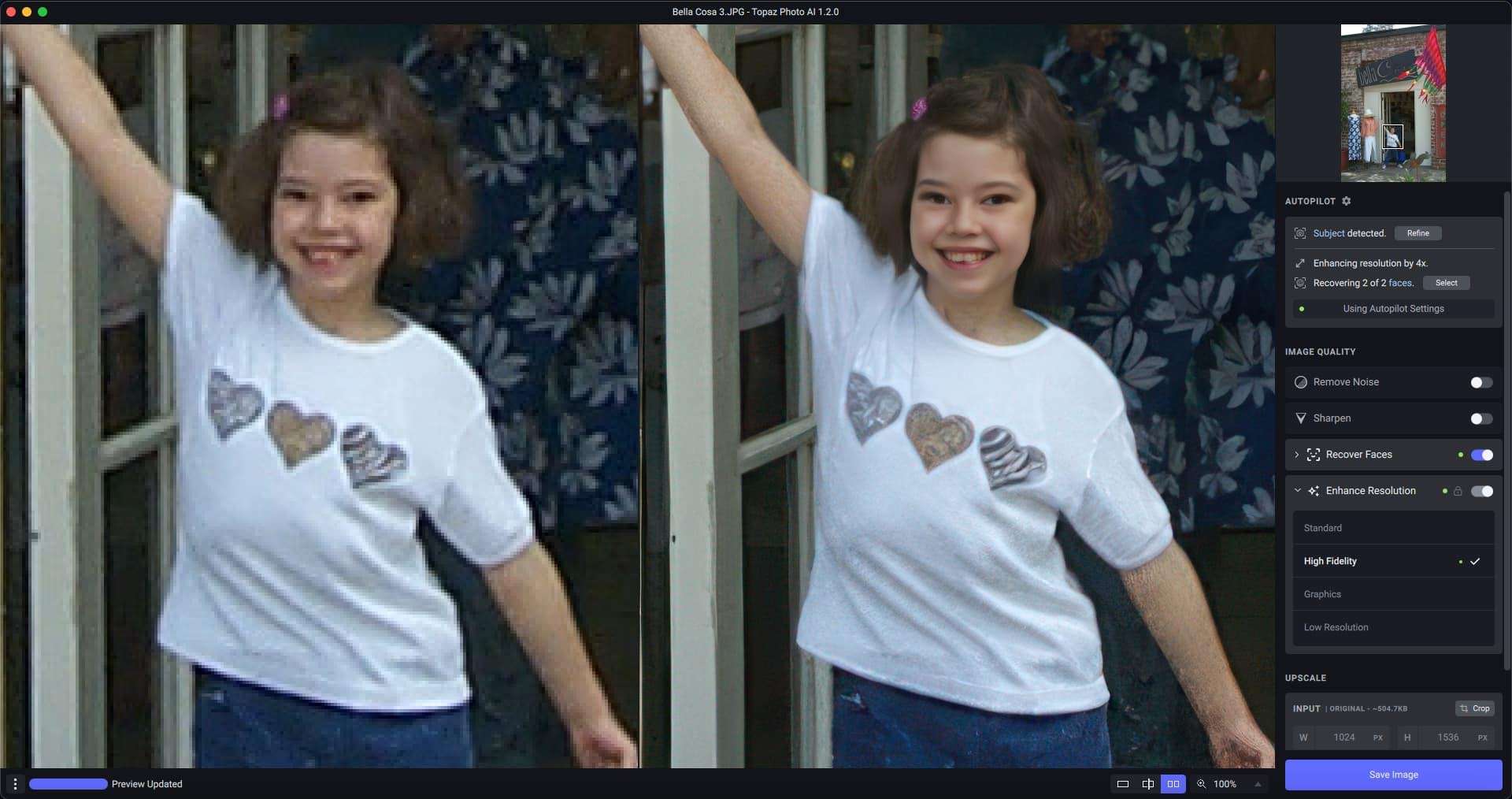
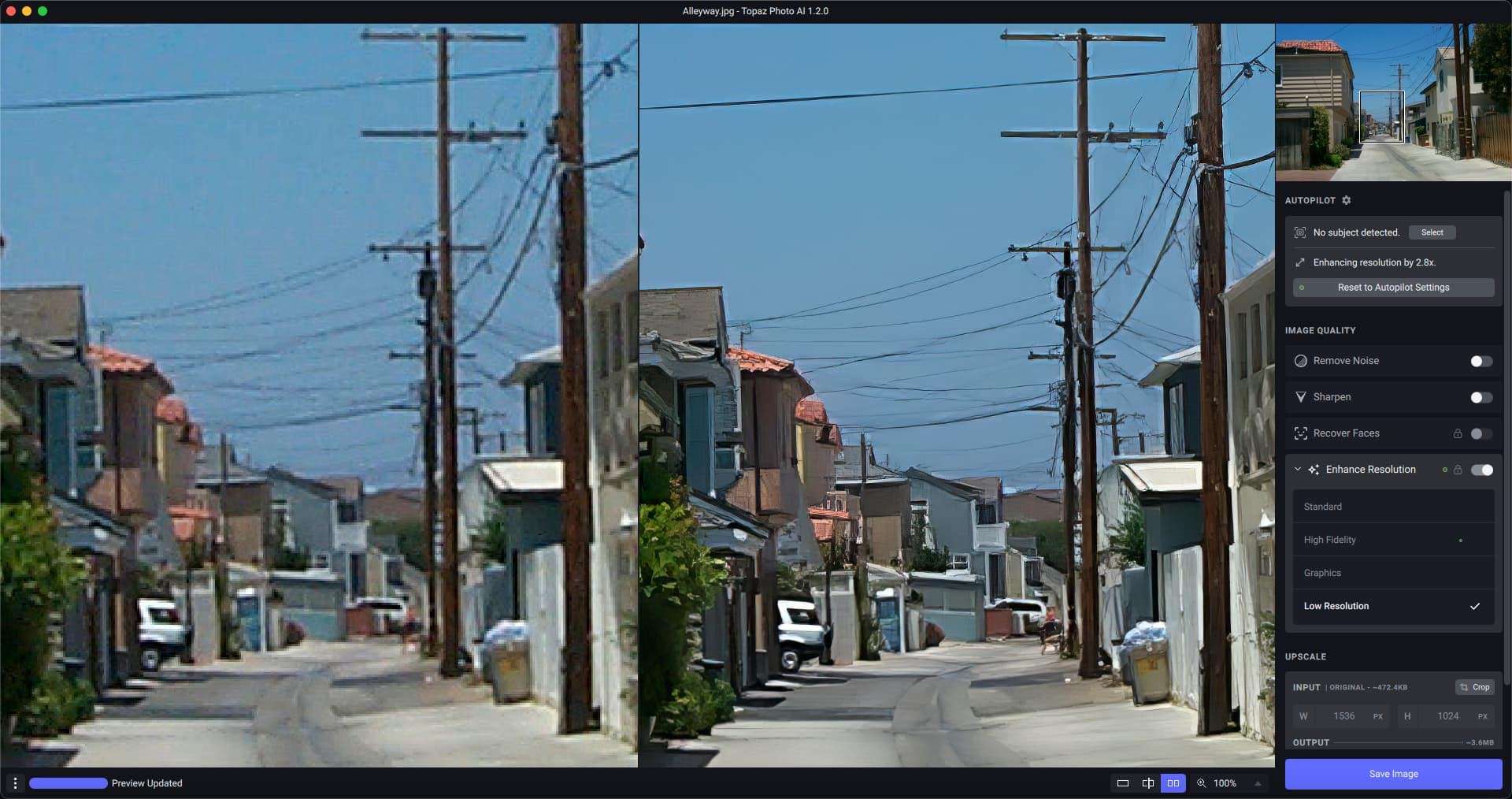
Unified AI Enhancement Workspace: Core innovation. Apply AI Upscaling (Gigapixel), AI Denoising, AI Sharpening, and basic adjustments non-destructively within a single layered interface, avoiding the need to export/import between separate apps.
Next-Gen AI Models: Features updated versions of Topaz’s industry-leading AI models, trained on broader datasets for better detail recovery, noise reduction, and upscaling on a wider variety of image types.
Non-Destructive Layer-Based Editing: Work with adjustment layers for each AI function (Upscale, Denoise, Sharpen, etc.), allowing for fine-tuning, masking, and re-editing at any time.
Smart Presets & Recipes: Save and apply custom combinations of AI settings as “Recipes” for batch processing or consistent styling across a photo set.
Comparison & Preview Modes: Easily compare original vs. processed images with split-screen, side-by-side, or loupe views to evaluate AI enhancements accurately.
Batch Processing: Process multiple images through saved Recipes or custom settings, ideal for preparing large numbers of photos from a shoot.
Seamless Integration: Can still function as part of a larger workflow, allowing export to other editors like Adobe Photoshop or Lightroom.
As an early major release, version 1.2.0 focuses on core integration, new unified features, and workflow refinement:
“Adaptive Sharpening” AI Model: A new, more intelligent sharpening model that analyzes image content to apply context-aware sharpening, avoiding artifacts on textures like skin or foliage.
Enhanced Unified Masking Tool: A single, powerful masking tool that can be applied across any AI adjustment layer (e.g., denoise the sky but not the foreground) for localized control.
Performance Optimizations & GPU Support: Improved utilization of NVIDIA CUDA, AMD ROCm, and Apple Metal for faster AI processing across all integrated tools.
Expanded File Format Support: Added native support for newer camera RAW formats and high-bit-depth image files.
Refined User Interface: Polished UI based on early user feedback, with a clearer layout for the layer stack and adjustment panels.
OS: Windows 10 (64-bit) version 1909 or later
CPU: Intel Core i5 or AMD Ryzen 5 (6th generation or newer). Must support AVX2 instructions.
RAM: 16 GB
GPU: NVIDIA GeForce GTX 1070 Ti / RTX 2060, AMD Radeon RX 5700, or Intel Arc A750 with 8 GB VRAM (A powerful, modern GPU with ample VRAM is absolutely critical for acceptable AI processing speeds)
Disk Space: 5 GB free space
Display: 1920 x 1080 resolution
Price: 125 $
Price Currency: $
Operating System: Windows
Application Category: Graphics











Reviews
There are no reviews yet.