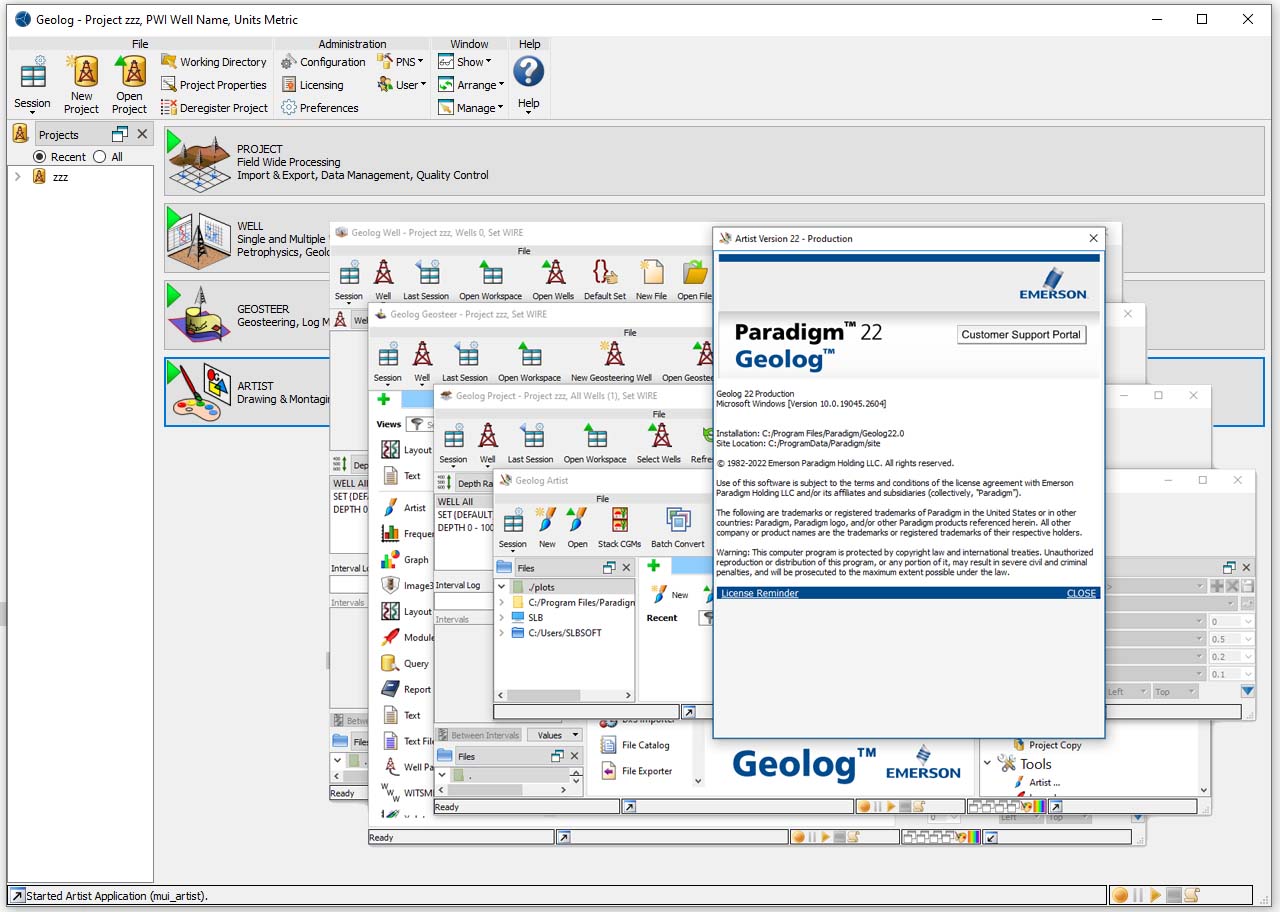
According to the company, the latest version of this software will be the next generation of geophysical and petrophysical solutions and tools, and with its various technologies and capabilities that it provides to experts, it will improve its efficiency and usability. This software is based on another product of this company, Epos. Geolog works directly on data in Epos and third-party databases such as Petrel * seismic.
This program has a lot of fans all over the world and always solves the existing problems based on the customers’ opinions, and by adding new capabilities, it creates a wider market for itself. Geolag and the Paradigm Suite is a versatile tool in the field of petrophysics that provides easy management of logs and scattered data by providing various features that allow users to connect with more platforms, thus speeding up and Be much more accurate than before.
Geolog – Paradigm 22 includes many new features and enhancements to improve the user experience and increase productivity. Selected highlights are briefly described below.
Multimin and non-conventional sedimentary deposits
Multimin has been enhanced with the ability to use any number of custom minerals.
You can define and save these custom minerals with their log responses as a spec file using the Minerals configuration editor. The custom minerals can be used as input in any Multimin model, in addition to the minerals already available in Multimin.
A default set of predefined extra minerals is provided to which you can add additional minerals. This provides greater flexibility when using Multimin for formation evaluation beyond the conventional sedimentary rock formations.
In addition, fluid log responses for NPHI, RHOB, U, and SIGM equations can now always be input from external logs. This allows the use of a more specific calculation of log responses (e.g, using the new Fluid Properties modules). For example, the log responses of a gas mixture from a known composition.
Fluid properties in the Petrophysics menu
A set of new modules that compute various fluid properties, including their log responses, for different fluid phases (pure or mixture) has been added.
Single phase (water, CO2), Water mixture (NaCl brines, complex brines, brine+CO2), Gas or Oil mixtures (from known or unknown composition) properties such as density, formation volume factor, compressibility, and viscosity can be computed. Fluid log responses calculations includes neutron, density, PEF, U, sigma, bulk modulus, sonic, and velocity.
These modules use a comprehensive set of published correlations and equations of state.
Output of those modules (as interval or log) can be used in many Geolog modules that require fluid properties as input (e.g, Multimin, Determin, etc.)
Interactive porosity charts in Xplot
Interactive porosity chart functions are now available in Xplot.
This new feature enables you to select the appropriate Neutron contractor tool (for Neutron-Density or Neutron-Sonic crossplot) and Sonic equation and parameters (for Neutron-Sonic or Neutron-Density crossplot) along with the associated fluid point values.
This replaces the time consuming manual task of locating and selecting the appropriate chart files from the relevant contractor functions sub-folder in the Geolog installation.
Automatic and interactive fitting of compaction trend parameters in Pore Pressure Prediction
The new compaction trend computation for Sonic and Velocity using Miller, Bowers, or Zhang empirical methods provides an option to automatically compute the best fit coefficients for the equations of those methods. The points used for the automatic fitting can be limited based on the known overpressure depth.
In addition, a new method for automatic compaction trend computation based on cutoff method has been added. This method uses as input a set of interactively picked shale points from input logs. When the module is set in auto run mode, any addition or removal of picked shale points will automatically rerun the module and update the compaction trend and all subsequent computations (pore and fracture pressures).
Zone picking in Layout
A new option to use predefined zones has been added in the Picks tool.
This enables you to create and use a catalog of zones properties (Name, Colour, Pattern, and Description) when picking an interval or zone in a layout.
The predefined zones catalog is created and/or edited from a table in the Pick zones section of the Edit Picks dialog box, and can be saved as a spec file for future reuse.
When a zone or interval is interactively picked on a layout, its name, colour, pattern, and description can be automatically assigned by selecting a given row in the predefined zones catalog.
New engineering functionalities
Interactive visualization tools have been added for the display of velocity and fluid holdups of array spinner production logs.
An interactive cross section view has been added to the Production Log view, as well as a new pl array tool section track for layouts.
The properties of these new display tools can be edited (array tool specification, spinner, and holdup log names, colormap, etc.)
Interpolated velocity and fluid holdups image logs are automatically generated and can be displayed in image tracks. This provides more in-depth analysis of fluid segregation in deviated and horizontal wells.
In addition to this, a temperature profile can now be reconstructed using well completion data (inner and outer diameter logs, tubing, and casing information), thermal and physical properties of the wellbore and produced fluids in the well schematic view.
Borehole Image Processing and Analysis
•More information about AZI_OFFSET has been added to the Orientation & Recalculation QC (tp_inclinometry_qc) module help.
•Support for 2-pad FMS borehole image processing for data supplied in Geoframe format (that is, all buttons are depth shifted and are aligned), has been added.
•Support for the EMEX correction to the FMS borehole image processing workflow has been added.
Core Analysis (Saturation-Height)
•Additional wireline logs and lithology tracks can now be added to the water saturation prediction displays in the Core SwH Model and Core SwH Predict Sw views.
Determin
•In the Sand Silt Clay (sand_silt_clay) module, the new VCL_SILT parameter allows a non clay-free silt to be accounted for, when an estimated amount of clay in silt is entered. This enables the computation of a 3 volumes (sand, silt, and clay) solution.
Determin Uncertainty
•The NPHI tool error for the Environmental Corrections Baker Atlas Charts (ec_atlas_mc) module is now handled programmatically. Below a threshold value, the error is a fixed value. Above the threshold value, it is calculated from the input NPHI value.
Documentation
•Formatting of the Loglans and Modules help has been improved.
•In previous releases of Geolog, the Loglans and Modules help was provided as a separate PDF. With this release, to improve searchability, each Loglan and Module help is included in the main Geolog help as a separate html file. A separate PDF of the Loglans and Modules help is also included with the Geolog help.
File Exporter
•When exporting to the LAS2 file format, a Wrap Lines option is now available in the new Options dialog box.
Fluid Properties (new)
•A set of new modules has been added that calculate various fluid properties, including their log responses, for different fluid phases (pure or mixture). These modules use a comprehensive set of published correlations and equations of state.
Full Waveform Sonic
•The data preparation modules now write the acoustic tool name to the standard log attribute TOOL instead of to the log attribute TOOL_NAME.
•Transmitter array processing for depth-derived borehole compensation and multishot processing for resolution enhancement requires that the sampling rate of the waveform data is equal to the receiver spacing. If this is not the case the Semblance Analysis Processing (tp_array_sonic_process) module will now display an error message.
•When dispersion correction is attempted in the Slowness-Frequency Dispersion Correction (to_array_sonic_correction) module with waveforms that have inadequate frequency distribution (e.g., bimodal distribution) a warning message is now displayed. Waveform data must be filtered before semblance processing.
•An option (OPT_BH_MISSING) has been added in the Fracture Detection Stoneley Reflectivity (tp_array_stoneley_refc) module so that reflection coefficient results over bad hole sections can be set to missing.
General
•In the Process Range dialog box, the bottom interval (tops interpolated) or surface (point interpolated) is now available even without bottom depth. The handling of intervals/surfaces in the Process Range has also been improved. Previously, every interval/surface had an automatically generated corresponding _BASE entry, which was equal to the depth of the following surface and therefore unnecessary. Now, _BASE is only displayed when there is a gap between intervals.
•An Environment Variables button has been added to the Configuration Files Editor toolbar.
Graph
•A Groups axis has been added in the pie, bar, stacked bar, and line graph modes to allow values of a query result column to be used to group data on the graphs.
Image 3D
•A new toolbar option, Current Range, enables you to automatically resize the view to the current depth range.
Layout
•A comment log can now be inserted into a periodic set using the Insert Comment command.
Layout Tracks
•A new PL Array Tool Section track has been added.
•When overlaying an image track onto another track, missing data is now transparently displayed. As a result, the image beneath is shown and not the track background color.
Layout Tools
•The original log comment is now preserved when a log is changed using any of the layout Clear Logs, Edit Wireline Logs, and Merge Logs tools and the Splice Logs view.
•A new graphical tool, Pick Points from Log, allows you to pick points from a base log (continuous) on a wireline track.
•The Picks graphical tool now has the option to pick different predefined ‘zone types’ (e.g., lithology, texture, lithofacies, facies association, depositional environment). Each zone type has a predefined name, color, fill pattern, and description. The ability to create, edit, and save a new zones list has been added.
Miscellaneous
•The shortcut name for the Tcl Console now include the Geolog version number.
•The new Data > Utilities > Array Log > Array Split (tp_array_split) module splits an input array log into multiple evenly sized array logs.
•In the Data > Utilities menu, the options to copy constants and copy comments from the input set to the output set have been added to the Interpolate (tp_interpolate), Log Copy (tp_log_copy), Log File Copy (tp_log_file_copy), Log File Paste (tp_log_file_paste), Resample (tp_resample), Reverse (tp_reverse), and Sort (tp_sort) modules.
Multimin
Multimin Model
•A new Minerals configuration editor enables you to add and save custom minerals and their log responses as a spec file. These custom minerals can be selected in a Multimin model in addition to the already available minerals.
•The selection of response logs for all fluids for the NPHI, RHOB, U, and SIGM equations is now enabled, regardless of the setting of the ‘Calculate Fluid Responses’ property. Responses can now always be input from external calculations (e.g., from the fluid properties modules) to enable the utilization of a more specific calculation of responses. For example, the log responses of a gas mixture when its composition is known.
Multimin Analysis
•When running alternate models based on expressions, there are two special alternate model selections, None and Skip. A third special alternate model selection, Ignore has been added. Frames that match an expression are ignored and missings are generated for the output curves of these frames.
•A moved hydrocarbons volume log is now output.
NMR
•The Coates Permeability (tp_permeability_nmr_coates) module which calculates permeability of NMR logging data using the Coates model, has been added to the Deterministic > Extras > NMR Permeability menu.
Pay Summary
Pay Summary view
•The search for input logs in alternative sets other than the input set has been removed.
Pay Summary reports
•An option to merge reports for all lumps into a single file has been added.
•The reporting format has been improved. When different paysummary cutoffs are applied per interval, the Cutoff spec descriptions are now positioned above the relevant results tables.
•Reports now show the name of the paysum model used in each interval summary.
•Net pay for the secondary reference log has been added to the reports.
•Reports with embedded queries have been added to the Pay Summary menu in the Processing window, in Well. One report corresponds to the report produced by the simple pay summary module and the other to the report produced by the pay summary view. In this later case, the report has been designed to match results obtained when using the default_*.paysum models. Reports and queries are fully customizable. Note that query results can be printed to CSV format.
Photo Importer
•Comments are now automatically added to the logs in the Image set, created from the imported photos.
Pore Pressure Prediction
•Best fit Miller, Bowers, or Zhang coefficients used in Sonic and Velocity methods of empirical compaction trend computation can now be automatically determined. Points for fitting can be limited based on known overpressure depth.
•An NCT cutoff method for specifying input of picked shale point curves for all input log types has been added.
Production Logging
•PL Array holdup and velocity visualization has been added.
•The input set selection dialog box now displays the alias names of the CVEL and SPIN logs in addition to the log names.
•The input cable velocity log name, LSPD (line speed) is a mnemonic used by a PTS tool. LSPD has been added to the alias list of the CVEL log..
Query
•GeologSQL now has a REFERENCE keyword allowing choice of a reference log for thickness calculations.
•GeologSQL queries now support INTERVAL_LOG, INTERVAL_SET, and INTERVAL_THICKNESS symbols to provide easy access to the interval log selected in the Depth Range window.
•GeologSQL queries now support DATUM_TOP and DATUM_BOTTOM symbols to provide easy access to the datum range.
Rock Physics
•The Fluid Properties by FLAG (tp_rpfs_flag) module has been updated to FLAG (Fluid Application of Geophysics) 16.
•Rock Model modules now output an estimated saturated rock density (RHOB_SAT) log.
•Interval processing has been added for the Rock Model Xu-White Clay-Sand Model (tp_rock_xu_white) module.
•An input constant for specifying the grain aspect ratio for the SELF-CONSISTENT model has been added in the Effective Medium Models (tp_rock_effective_model) module. Previously, the grain aspect ratio had to be entered as part of the pore aspect ratios, which caused confusion.
The Gassmann fluid substitution workflow has been simplified. The main changes are:
•The MIX tab in the Fluid Properties by Batzle (tp_rock_fluid_property) module is used to calculate the properties of the initial fluid required as input in the Rock Model and Gassmann fluid substitution modules. The _MIX suffix has been removed from the output log names. Fluid property logs with the suffix _FL now represent the properties of the actual (initial) pore fluid.
•The input log names for the pore fluid property logs in the Xu-Payne Carbonate Model (tp_rock_xu_payne) module have been changed to KMOD_FL and RHO_FL to be consistent with the log naming of the actual pore fluid logs.
•Final fluid composition in fluid mixing and the Gassmann fluid substitution modules is now determined by hydrocarbon type and water saturation. Previously, a gas and oil saturation were required.
Gassmann Clean Sand (tp_gassmann_new) module
•The INPUT_MODE (SET1, SET2) has been removed from the module. Bulk modulus and density of the mineral mixture and the initial fluid are required inputs and must be calculated beforehand with the Solid Grain Mixture (tp_rock_solid_mix_model) and Fluid Properties modules, respectively. The final fluid is mixed within the Clean Sand module.
•Intervals where Gassmann fluid substitutions are to be performed, can now be determined by defining a VSH and porosity cutoff.
•Porosity is now a required input. The saturated rock density is calculated from the porosity and the density of the mineral mixture and fluid.
Gassmann Shaly Sand (tp_gassmann_vsh) module
•The clean sand and shale property inputs in the module have been changed from Log to Constant/Interval.
•The module now uses clean sand porosity and initial fluid properties as input instead of 100% water saturated bulk density.
Russian Logs
•The Open Porosity analysis (russian_phi) module has been updated to include a user defined/generic equation for calculating PHI from nuclear logs.
Splice Logs
The following enhancements to the sorting of logs in the Select Logs table have been added:
•Logs can now be sorted based on the Output Logs, SR, and Track columns. This is in addition to the existing sorting on the Tool column.
•A reverse sorting option has been added.
•A Sorting Control option has been added to the toolbar. When selected (default), logs that are present in all the input sets are moved to the top of the Select Logs table, after sorting.
•The requirement to define the top of the data in the first set as a splice point has been removed. To remove unwanted data from the top of the uppermost set, you can use the tools provided, such as Clear Zones or Clear Cased Data.
•An option to split the Layout Preview around splice points has been added.
Stereonet
•A new Statistics tool allows you to display and save the dip statistics of all displayed or selected dips without having to define clusters first.
•A new Calculate Angle tool calculates the acute angle between two planes, between the mean dip of two clusters, or between a plane or cluster and the borehole.
Text
•Array constants can now be manually created. An Array Constant check box has been added on the Constant Create dialog box, which when selected allows you to enter multiple values. The constant repeat is the number of values entered.
Well Catalog
•A drop-down list of the available colors and symbols has been added for the well color and symbol well constants on the Wells tab.
Well Integrity
•The Casing Inspection > Data Preparation (tp_wi_casing_data_preparation) module has been updated to allow an optional input casing thickness array log for Multi-Finger Caliper data. In addition, Multi-Finger Caliper scalar thickness logs can now be provided which will be combined into an array.
•A casing grade can now be selected from a drop-down list of values in the modules of the Casing Inspection workflow.
Well Path
•Support for the British Geological Survey (BGS) BGGM 2022 geomagnetic model has been added. As with previous BGGM models, coefficient files are not included in the release and can be obtained directly from the BGS.
Well Schematic
•More position feedback has been added to the Well Schematic view and the schematic layout track.
•An option to create an inner diameter log from the casing and tubing data has been added. The log can be used as an input by the Production Log view.
•A temperature log can now be constructed from the diameters and depths of the hole, and the casing and tubing data.
Casing
•Wire Wrapped Screen and Perforated Liner have been added to the list of casing types.
•A graphic of the Slotted Liner casing has been added.
•An option to display the bottom depth value of each casing in the scale track has been added.
•A filter has been added to the casing and tubing specification tables.
•Casing and tubing outside diameters can now be displayed and input in fraction format when using inches.
Cement
•Gravel has been added to the list of cement types and given its own graphic fill.
Tubing
•The tubing geometry selection has been changed to use a tubing specification table in a similar manner to the casing geometry selection. A tubing_table.spec file is used to populate the tubing specification table.
Jewelry and Plugging
•The selection of Jewelry and Plugging types is now restricted to those available in the drop-down lists.
Xplot
•Interactive porosity chart functions are now available. This enables you to select the appropriate Neutron contractor tool (for Neutron-Density or Neutron-Sonic crossplot) and Sonic equation and parameters (for Neutron-Sonic or Neutron-Density crossplot) along with the associated fluid point values.
•An option to display an uncertainty region around a regression line has been added.
•Additional statistics for regressions can now be displayed in the legend and on split-plots.













product_manager –
Hi Please email us via info@usoftly.ir