

Latest update
License Price
OS
NI Circuit Design Pro Suite is the industry’s most comprehensive and integrated electronic design platform, combining the legendary power of Multisim Pro schematic capture and SPICE simulation with the professional PCB layout capabilities of Ultiboard Pro—all within a unified workflow environment. Developed by National Instruments (now part of Emerson), this suite provides engineers, researchers, and educators with a complete end-to-end design solution: from initial circuit concept and interactive simulation to physical PCB layout and manufacturing output.
Version 14.3.49153 continues the evolution of this trusted platform, delivering enhanced simulation accuracy, expanded component libraries, and streamlined design validation tools. Whether designing simple analog circuits or complex mixed-signal systems, power electronics, or digital logic, NI Circuit Design Pro Suite provides the precision, efficiency, and confidence that professional electronic design demands.
This comprehensive electronic design automation (EDA) suite is designed for:
Electrical & Electronics Engineers designing and simulating analog, digital, and mixed-signal circuits.
PCB Designers & Layout Specialists creating professional printed circuit boards from schematic to fabrication.
Engineering Students & Educators learning circuit theory, simulation, and PCB design in academic settings.
Researchers & Development Engineers prototyping and validating circuit designs before hardware implementation.
Power Electronics Engineers designing and simulating switching power supplies, converters, and motor drives.
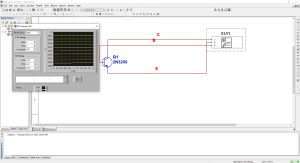
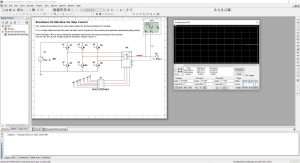
Schematic Capture:
Drag-and-drop component placement
Massive component libraries (analog, digital, power electronics, MCUs)
Custom component creation and editing
Hierarchical and multi-page schematic support
Netlist generation for downstream tools
SPICE Simulation Engine:
Industry-standard SPICE simulation with enhanced convergence
Interactive real-time simulation with live parameter adjustment
Analog, digital, and mixed-signal simulation
Power electronics simulation with specialized models
Temperature and environmental effects modeling
Comprehensive Analysis Tools:
DC Operating Point Analysis – Establish initial circuit conditions
AC Frequency Analysis – Bode plots, gain/phase response
Transient Analysis – Time-domain waveform visualization
Fourier Analysis – Harmonic content and spectral analysis
Noise Analysis – Signal-to-noise ratio and noise figure
Monte Carlo Analysis – Statistical yield prediction
Worst-Case Analysis – Tolerance and variation effects
Parameter Sweep – Component value optimization
Temperature Sweep – Thermal performance evaluation
Interactive Virtual Instruments:
Oscilloscope – Real-time waveform visualization
Function Generator – Signal injection and stimulus
Multimeter – Voltage, current, resistance measurements
Spectrum Analyzer – Frequency domain analysis
Logic Analyzer – Digital signal timing and state analysis
Network Analyzer – Impedance and S-parameter measurements
Bode Plotter – Frequency response visualization
Educational & Research Tools:
Circuit error marking and debugging
Measurement probes for live simulation
Interactive simulation controls
Textbook integration and curriculum support
Advanced visualization for theoretical concepts
Seamless Integration:
Direct schematic transfer from Multisim
Forward/back annotation for design synchronization
Coordinated design updates across both environments
Netlist import from external EDA tools
PCB Layout Tools:
Manual and automatic component placement
Interactive trace routing with real-time DRC
Autorouting with configurable strategies
Multi-layer PCB support (2-64 layers)
Blind and buried via support
Differential pair routing
Advanced Editing Features:
Customizable workspace and grid systems
Spreadsheet view for component management
Design wizards for common configurations
Copper pour and plane management
Design rule checking (DRC) with real-time feedback
3D PCB visualization and clearance checking
Precision Design Control:
Trace width and spacing rules
Net class definitions and constraints
Length matching and timing control
Clearance and isolation rules
Layer stackup management
Manufacturing Output:
Gerber File Generation (RS-274X)
DXF Export for mechanical integration
Netlist Output for assembly
Bill of Materials (BOM) generation
Pick-and-place file creation
NC drill file generation
Complete Design Flow:
Schematic Design in Multisim Pro
SPICE Simulation and performance validation
Circuit Optimization through parameter analysis
Schematic Transfer to Ultiboard Pro
Component Placement and PCB routing
Design Rule Checking and verification
Manufacturing Output (Gerber, BOM, drill files)
Enhanced SPICE Convergence – Improved simulation stability for complex, nonlinear circuits
Expanded Component Libraries – Thousands of new parts from major manufacturers
Improved Monte Carlo Analysis – Faster statistical simulations with better visualization
Advanced Power Electronics Models – Enhanced models for switching converters and magnetic components
3D PCB Visualization Upgrades – Realistic rendering with component clearance checking
Design Rule Checking Enhancements – Real-time DRC during routing with immediate feedback
Export Format Updates – Latest Gerber (X2) and ODB++ support
UI/UX Refinements – Streamlined workflow with customizable toolbars and panels
Performance Optimizations – Faster simulation and layout for large, complex designs
Educational Content Updates – New tutorials and curriculum materials
OS: Windows 10/11 (64-bit only)
CPU: Intel Core i5 or equivalent
RAM: 8 GB
Storage: 10 GB free space
Display: 1366 × 768 resolution
Graphics: DirectX 11 compatible with 512MB VRAM
Price: 125 $
Price Currency: $
Operating System: Windows
Application Category: Electronics
Latest update
License Price
OS












Reviews
There are no reviews yet.